Skip to content
Head-to-head comparison

Hevy vs Fitbod

Choose Hevy when you want free logging with optional Pro Trainer planning; choose Fitbod when you want equipment-aware workout proposals and accept subscription pricing.

Pick Hevy

You want free logging with optional Pro Trainer planning

Pick Fitbod

You want equipment-aware workout proposals and accept subscription pricing

Will Richards
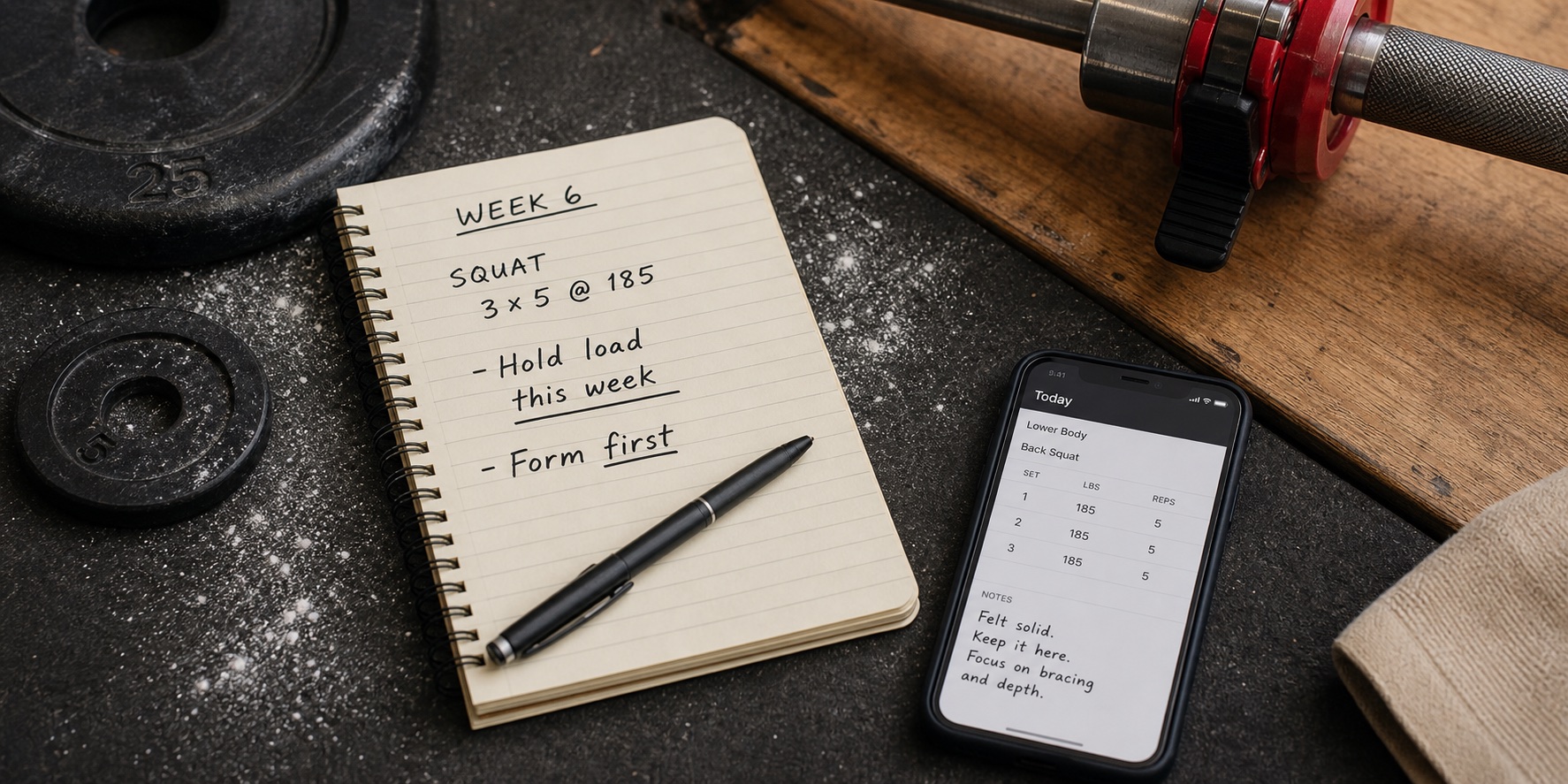
Lifter beside a phone and workout notes, illustrating the Hevy and Fitbod comparison
We compare documented planning, logging, progression, pricing, and platform support. This image illustrates the training context, not a hands-on test.
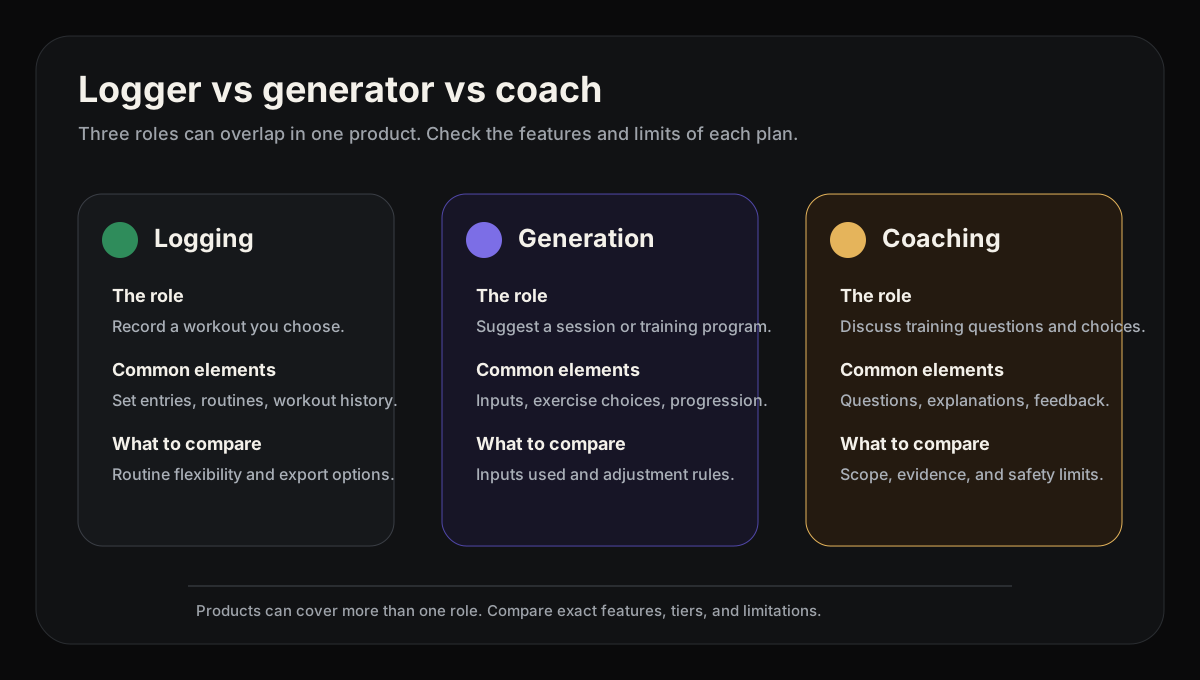
Diagram comparing manual workout loggers, workout generators, and coaching-first workout apps
This split is why some app matchups are not feature-for-feature: one app may be a logbook while another is choosing or coaching the workout.
Workout tracker and adaptive planner

Hevy

A free workout tracker with social logging and an adaptive Trainer.

Limitation: Hevy's documented Trainer planning and progression features require Pro; confirm current access and pricing before choosing.

Best for
lifters who want free social logging or paid Pro Trainer planning
Price
Free logging; paid Pro Trainer and premium limits
Platforms
iOS, Android, Apple Watch, Wear OS
Full Hevy review
AI workout generator

Fitbod

Generates workouts around your equipment and recovery.

Limitation: Fitbod is not ideal if you already have a plan and mainly want the cheapest manual logbook.

Best for
generated workouts around your available equipment
Price
US subscription help: $15.99/month or $95.99/year; store pricing varies by region
Platforms
iOS, Android, Apple Watch; Google Play documents Wear OS integration
Full Fitbod review

Direct answers

Is Hevy better than Fitbod?

Hevy is a fit if you want free-first logging, social features, Apple Watch/Wear OS support, and the option to evaluate its Pro Trainer workflow. Fitbod is a fit if generated sessions are the main job.

Is Fitbod worth it over Hevy?

Fitbod is worth it over Hevy when the main job is generating today's workout around your equipment and recovery rather than logging a plan you already chose.

Which is better for lifting?

For manual-first logging, compare Hevy's logger and Strong's logger. For generated workouts in changing gyms, compare Fitbod and Hevy Trainer: both document equipment-aware planning. Neither is established here as better at gym changes. None of these claims is a substitute for current official product details.

Evidence snapshot

Source-backed facts for Hevy and Fitbod

Record date July 27, 2026

This table keeps volatile claims close to their sources. Pricing, platform support, watch behavior, free limits, trials, and offline wording belong to the article record dated July 27, 2026; that date is historical metadata, not a new verification. Use the linked official, store, and help pages for current details.

Official product positionHevy

A free workout tracker with social logging and an adaptive Trainer.

Fitbod

Generates workouts around your equipment and recovery.

Pricing and plan structureHevy

Free logging; paid Pro Trainer and premium limits

Fitbod

US subscription help: $15.99/month or $95.99/year; store pricing varies by region

Free tier or trialHevy

Free logging is documented; Trainer and premium limits require Pro; exact limits and current plan terms can change

Fitbod

7-day trial after selecting a monthly or yearly plan, then subscription

Platforms, watch, and offlineHevy

Official site names Apple Watch, Wear OS, and Workout Offline; Google Play also lists Wear OS tracking and phone sync.

Fitbod

Fitbod lists iOS/Android and Apple Watch; Google Play documents Wear OS integration. Apple Watch requires the iPhone to start, add/swap exercises, and finalize/save workouts. Always On is unsupported and can interrupt the rest timer. App-level offline help documents local generation and logging; Focus Exercises, some history, and uncached videos need internet.

Comparison dimensions

What matters in Hevy vs Fitbod

Logging workflow

How each documented workflow starts a workout, records sets, edits mistakes, and shows previous performance.

Workout generation

Whether the app can decide today's session around equipment, goals, and recent training.

Progression clarity

Whether the app documents next-step guidance or the limits of its planning help.

Pricing and free tier

Current plan structure, free limits, trial terms, and buyer value after the trial or free cap.

Platform and watch support

iOS, Android, Apple Watch, Wear OS, and phone/watch handoff evidence.

Offline boundary

How clearly current sources describe workout use when signal is weak or absent.

Data and history handling

How useful workout history, charts, social records, and long-term training data remain over time.

Who should choose Hevy, and who should choose Fitbod

This comparison is for lifters who already know they want a workout app, but are stuck between two different workflows. The right choice depends less on the longest feature list and more on whether you want to bring your own training plan, have workouts generated, follow a library, or get coaching and progression decisions inside the app.

Hevy is best for

  • You want free logging with optional Pro Trainer planning
  • You want to try a free-first logging workflow before paying
  • You want Hevy Trainer's documented generated programs and automatic weight adjustments in Pro
  • You want a modern logbook that works across iPhone, Android, Apple Watch, and Wear OS

Not the right fit if

  • Choose Fitbod: You want equipment-aware workout proposals and accept subscription pricing
  • Choose Fitbod: You prefer Fitbod's workout-generation workflow for the equipment available to you
  • Choose Fitbod: You like recovery-based workout recommendations and muscle-readiness visuals
  • Choose Fitbod: You are comfortable paying a subscription for convenience

Hevy vs Fitbod: feature comparison

Hevy compared with Fitbod
FeatureHevyFitbod
Writes your programTrainer (Pro); generates personalized programsGenerated sessions from training inputs
Chat coachNo conversational coach claim in official sourcesNot established by linked documentation
Auto progressive overloadTrainer (Pro); adjusts weights from performanceGenerated targets use training history; exact progression rules are not established here
Generated workoutsTrainer (Pro); generated programsYes; equipment-aware workout recommendations
Program libraryReusable routines plus generated Trainer programs (Pro)Generated and saved workouts; not positioned as a public template library
Apple Watch appYes; Apple Watch and Wear OS are listed in official/store sourcesCompanion: iPhone required to start, add or swap exercises, and finalize/save workouts
Offline loggingOfficial product site uses Workout Offline wordingLocal workout generation and logging; Focus Exercises, some history, and uncached videos need internet
Free tierFree logging; Trainer and other premium limits require ProSeven-day trial, then a paid subscription
Social / communityYes; following and workout sharing are official product featuresNot established by linked documentation

Feature evidence

Platform, pricing, watch, free-tier, and workout-generation claims are linked to the official sources below. Where those sources do not directly confirm a feature, the page uses conservative wording such as partial, limited, or not the core workflow.

Category by category

We split the decision into the moments that matter most in strength training. A workout app can look polished on the home screen and still be frustrating when you are trying to log a hard set, change an exercise, or decide whether to add weight next week.

Workout logging

Hevy's core logger supports saved routines, set entry, and history, while its separate Pro Trainer adds a generated-program workflow. Fitbod can log workouts too, but its documented workflow starts from an equipment-aware generated session, making it the better fit when the app should choose today's workout.

Winner

Hevy

Workout generation

Both apps document equipment-aware generation. Fitbod proposes sessions from training inputs; Hevy Pro Trainer generates customizable programs and adjusts working weights. Compare those workflows in the tier you would use; the documentation does not establish which recommendations are better.

Assessment

Tie

Free tier and value

Hevy documents a free logging path, while Trainer is a Pro feature. Fitbod is mainly a subscription product after its trial, so value depends on whether generated workouts replace planning effort for you. Current limits and prices can change; use the linked official sources rather than relying on an exact figure in this comparison.

Winner

Hevy

Progression and coaching

Fitbod recommends generated sessions from equipment and training inputs, while Hevy's Pro Trainer documentation describes generated programs, automatic weight adjustments, and progression guidance. Those documented workflows are not identical, and neither should be presented as a conversational coach or a guarantee of results.

Assessment

Tie

Social features

Hevy documents following friends and sharing workouts. Consider that workflow if you want to see other lifters' sessions, but do not assume a social feed improves training consistency. The linked Fitbod material emphasizes workout generation; it does not establish a comparable social feed.

Winner

Hevy

Equipment flexibility

Fitbod documents generation around available equipment. Hevy Trainer uses equipment, goals, and schedule as inputs to its generated programs. This comparison has not tested either app's substitution workflow or established which handles changes in your gym better.

Assessment

Tie

Questions to answer before you switch

Use the documented workflows above to decide which app fits your training. These are decision criteria from the linked product material, not results from a hands-on test.

Setup

How does a session begin?

Check whether Hevy and Fitbod start from saved routines, generated sessions, or both, then compare that documented setup with how you normally train.

During a workout

What does the log support?

Review set entry, rest timers, exercise swaps, and previous-performance context in the linked product material. This page does not report a hands-on logging-time or reliability result.

When plans change

Who makes the next decision?

Separate manual logging, generated workouts, and progression guidance. Treat each feature description as a documented product claim, not evidence of a particular training outcome.

Over time

What are the current limits?

Recheck current price, routine limits, data export, platform support, and watch behavior at the official links before committing your training history to either app.

The better fit can change by user. A self-programmed lifter may prefer a focused logbook, while someone who wants planning help may value generated sessions or Trainer guidance more than a larger chart library.

Workout history, export, pricing, and platform support are practical switching costs. Check those details at the linked official sources, especially when the two workflows are otherwise close.

Strengths and trade-offs

Neither app is automatically better for every lifter. The useful question is which documented trade-off best matches the way you train.

Hevy

Strengths

  • Free logging alongside paid Trainer planning
  • Trainer generates personalized programs and adjusts weights from performance
  • Social feed and following
  • Exercise selection and reusable routines

Trade-offs

  • Trainer and its planning guidance are Pro features
  • The core logger still assumes you know which workflow you want
  • Conversational coaching is not established by the linked Trainer documentation

Fitbod

Strengths

  • Equipment-aware workout proposals
  • Exercise selection can reflect available gym equipment
  • Documented local workout generation and logging offline
  • Public iOS and Android store listings

Trade-offs

  • Generation documented; conversational coaching not established
  • Focus Exercises and some history/media features need a connection

Pricing

Pricing changes often; treat this as a snapshot.

Hevy

Free logging

Free logging is documented; Trainer and premium limits require Pro; exact limits and current plan terms can change

Fitbod

US subscription help: $15.99/month or $95.99/year

7-day trial after selecting a monthly or yearly plan, then subscription

The article record is dated July 27, 2026; that date is historical metadata, not a new source verification. App Store, Google Play, and official pricing pages can show different regional pricing or temporary promotions, so use the linked official sources below for current paid-plan details.

How we compared them

This is a documentation-based comparison, not a controlled hands-on test. We compare free logging, Hevy Trainer's Pro planning, Fitbod's workout generation, equipment inputs, subscription boundaries, platforms, and progression guidance. Category recommendations are use-case judgments, not measured performance scores or predictions of training results.

We also keep app categories separate. Hevy is best for lifters who want free social logging or paid Pro Trainer planning, while Fitbod is best for generated workouts around your available equipment. That means the winner can change depending on whether you care most about logging, generated sessions, Apple Watch, social motivation, or coaching.

Logging workflow

How each documented workflow starts a workout, records sets, edits mistakes, and shows previous performance.

Workout generation

Whether the app can decide today's session around equipment, goals, and recent training.

Progression clarity

Whether the app documents next-step guidance or the limits of its planning help.

Pricing and free tier

Current plan structure, free limits, trial terms, and buyer value after the trial or free cap.

Platform and watch support

iOS, Android, Apple Watch, Wear OS, and phone/watch handoff evidence.

Offline boundary

How clearly current sources describe workout use when signal is weak or absent.

Data and history handling

How useful workout history, charts, social records, and long-term training data remain over time.

This matchup uses documented workflow trade-offs instead of a numerical editorial total. Pricing, platform support, and free-tier limits should be rechecked from official sources before purchase.
Product screenshots

These product images illustrate the workflows discussed above and may show earlier versions. They are not evidence of a hands-on test of either competitor.

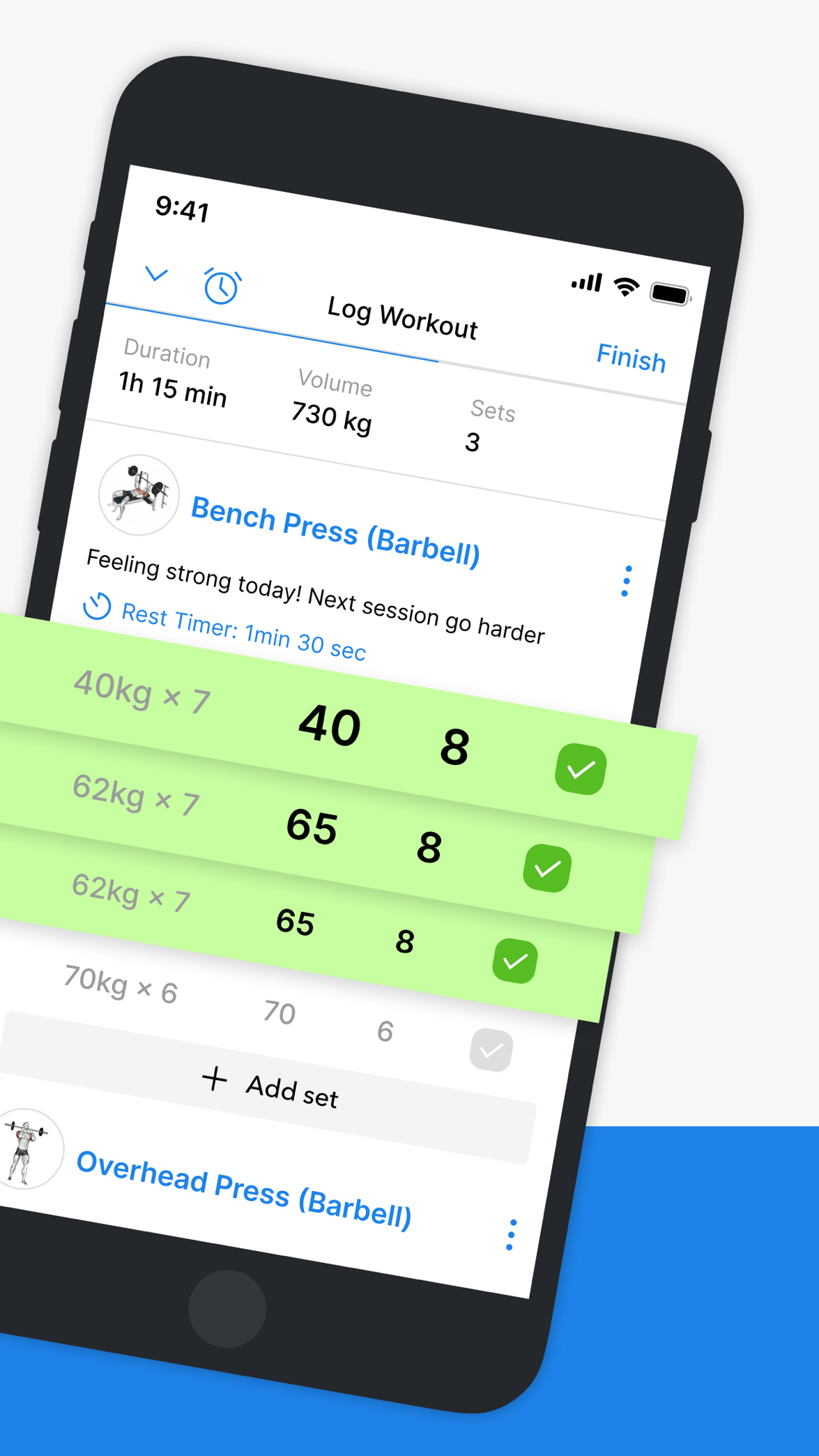
Official Hevy screenshot showing workout set logging and a rest timer
Hevy's App Store image illustrates set logging. It is not evidence of a timed or hands-on comparison and may show an earlier version.
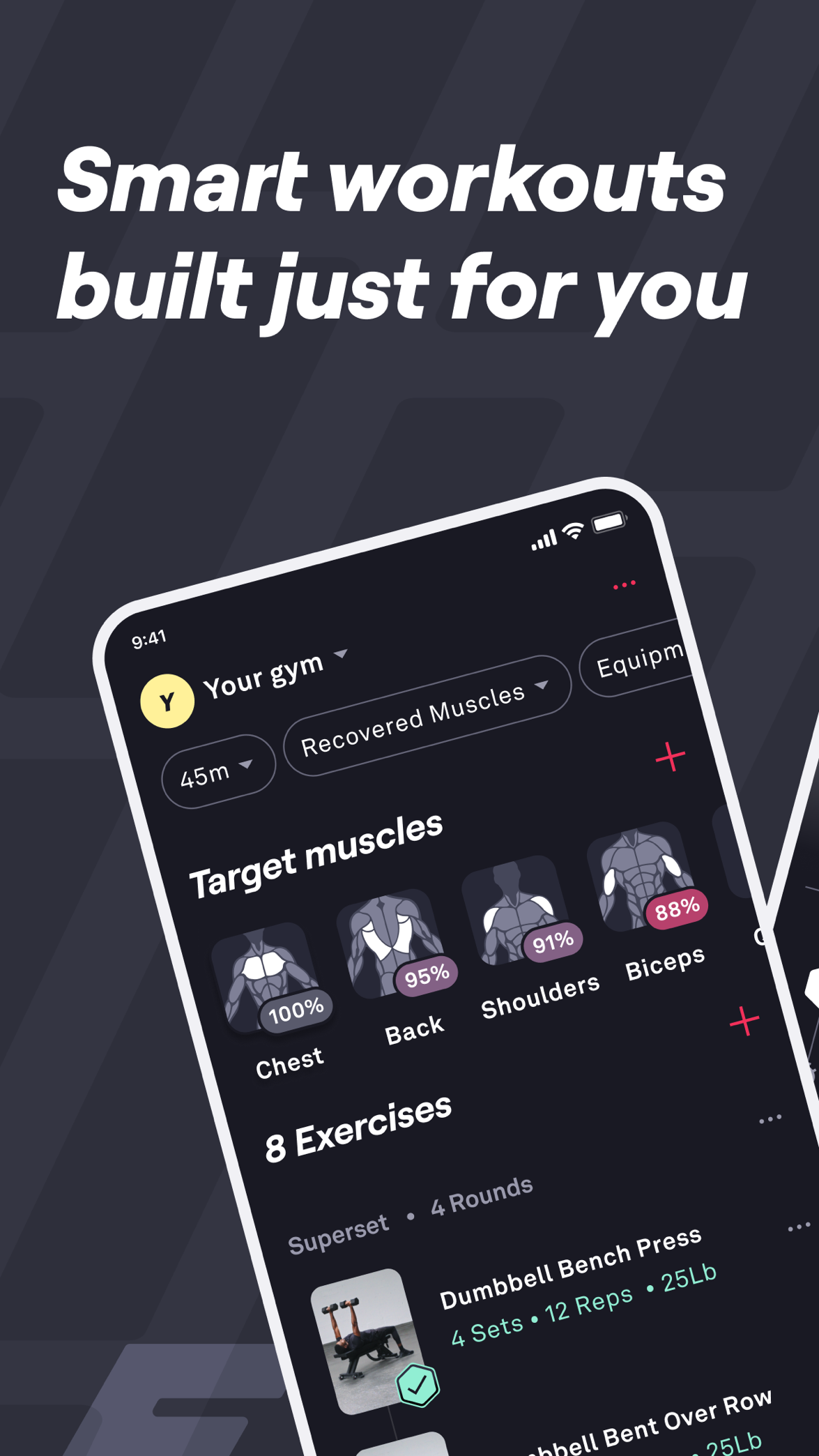
Official Fitbod screenshot showing generated workout suggestions and equipment inputs
Fitbod's App Store image illustrates its workout-generation interface, not measured recommendation quality or training results.

Why you should trust us

This comparison separates documented product claims from editorial judgment. We use the linked official and store material to compare setup, logging, progress review, exercise changes, planning, pricing limits, and platform scope.

We do not claim hands-on timing, watch reliability, or long-term testing here. The most honest recommendation is the documented workflow that fits your needs, with volatile details checked again at the official source before purchase.

Separate first-party beta note

Handler is not part of this public matchup

Hevy and Fitbod are compared here on their own documented workflows. Handler is shown separately only so invited testers can review the current product scope without turning a private beta into a public competitor recommendation.

Handler is our own product. It is in an invited iOS TestFlight beta, so it is scored separately and carries no public store rating or independent-review evidence. Primary test build: workout logging, AI coach chat, program setup, history, progress review. Apple Watch is in development, and offline is a test-build workflow. This is a first-party scope note for invited testers, not a public recommendation or performance guarantee.

Read first-party beta notes

Other apps worth comparing

If the choice still feels close, these apps cover adjacent needs: a quieter logbook, a data-heavy tracker, or a coaching-first workflow.

Frequently asked questions

Is Hevy better than Fitbod?
Hevy is a fit when you want free-first logging and the option to evaluate Trainer in Pro. Fitbod is a fit when generated workouts are worth paying for after the trial.
What is the biggest difference between Hevy and Fitbod?
Hevy combines manual logging with a Pro Trainer that documents generated programs and performance-based weight adjustments. Fitbod is more centered on generating today's session around equipment and recent training.
Is Fitbod worth paying for over Hevy?
Fitbod can be worth paying for if generated workouts save you planning effort. Hevy can be a better fit when you want logging first and optional Trainer planning in Pro.
What is a better alternative if I want coaching?
Compare Alpha Progression for progression planning or Boostcamp for programs. Handler is in an invited iOS TestFlight beta and is not a public alternative in this comparison.

Sources

  1. 01Alpha Progression official site (planning and progression recommendations for the alternative mentioned in the FAQ)alphaprogression.com/en
  2. 02Boostcamp official site (program library for the alternative mentioned in the FAQ)boostcamp.app
  3. 03Hevy official site (product positioning, social features, Apple Watch/Wear OS, and offline workout wording)hevyapp.com
  4. 04Hevy Trainer announcement (official Trainer positioning, generated programs, and performance-based automatic weight progression)hevyapp.com/announcing-hevy-trainer/
  5. 05Hevy workout plan generator (official Trainer page documenting personalized program generation, adjustable working weights, and Pro availability)hevyapp.com/features/workout-plan-generator/
  6. 06Hevy pricing page (Reference link for checking the current offer; not readable in this audit and not used to establish exact prices)hevy.com/pricing
  7. 07Hevy free-version limits help (Official reference for free-tier limits; article text verified through Hevy's public help-center API)help.hevyapp.com/hc/en-us/articles/38279350428695-What-will-happen-to-my-account-if-I-switch-from-Pro-to-the-free-version
  8. 08Hevy App Store listing (iOS, Apple Watch, ratings, and in-app purchase reference)apps.apple.com/us/app/hevy-workout-tracker-gym-log/id1458862350
  9. 09Hevy Google Play listing (Android/Wear OS availability and product claims)play.google.com/store/apps/details
  10. 10Fitbod official site (workout generation and equipment-aware positioning)fitbod.me
  11. 11Fitbod membership page (membership reference; not a verified checkout snapshot)app.fitbod.me
  12. 12Fitbod subscription help (subscription plans, 7-day trial, and regional pricing caveat)help.fitbod.me/hc/en-us/articles/360004904714-How-to-Subscribe-to-Fitbod
  13. 13Fitbod trial help (7-day trial, auto-renewal, and post-trial access limits)help.fitbod.me/hc/en-us/articles/30542136101527-How-the-Trial-Works
  14. 14Fitbod FAQs (billing, features, integrations, trial, and platform-pricing caveats)fitbod.me/faqs/
  15. 15Fitbod App Store listing (iOS, Apple Watch, ratings, and in-app purchase reference)apps.apple.com/us/app/fitbod-gym-fitness-planner/id1041517543
  16. 16Fitbod Google Play listing (Android availability and user-review context)play.google.com/store/apps/details
  17. 17Hevy Google Play listing (Android and Wear OS availability)play.google.com/store/apps/details
  18. 18Fitbod Apple Watch help (watch support)help.fitbod.me/hc/en-us/articles/360006499194-Apple-Watch
  19. 19Fitbod offline help (offline-use limitations)help.fitbod.me/hc/en-us/articles/360006572594-Can-I-use-Fitbod-without-an-internet-connection
  20. 20Garage Gym Reviews Fitbod review (Further-reading reference only; not used to establish product facts or rankings)garagegymreviews.com/equipment/fitbod
  21. 21Lifehacker Fitbod review (Further-reading reference only; not used to establish product facts or rankings)lifehacker.com/health/fitbod-app-review
  22. 22Fitbod subreddit (community discussion link; not captured as review evidence)reddit.com/r/fitbod/
  23. 23Strong official site (product positioning and Apple Watch support)strong.app
  24. 24Strong PRO help article (Pro subscription, free-version access, and regional price caveat)help.strongapp.io/article/132-strong-pro
  25. 25Strong App Store listing (iOS, Apple Watch, free routine limit, and US Pro pricing reference)apps.apple.com/us/app/strong-workout-tracker-gym-log/id464254577
  26. 26Strong Google Play listing (Android availability)play.google.com/store/apps/details
  27. 27JEFIT Progressive Overload System (official description of performance inputs and automated load recommendations)jefit.com/ai-workout-tracker
  28. 28JEFIT Adaptive Plan (marketing advertises generated blocks and weekly adaptation, while the FAQ confirms Stage 1 load progression and calls Stage 2 adaptation forthcoming; this conflict leaves generated-block availability unresolved)jefit.com/ai-workout-tracker/adaptive-plan
  29. 29JEFIT Watch (official Apple Watch and Wear OS workout logging documentation)jefit.com/watch
  30. 30JEFIT rollout FAQ (distinguishes live Strength Engine from staged mesocycle adaptation)jefit.com/support/faq
  31. 31JEFIT Elite pricing page (free and Elite pricing reference)jefit.com/elite
  32. 32JEFIT download page (product positioning and platform links)jefit.com/download-app
  33. 33JEFIT App Store listing (iOS, Apple Watch, and current US in-app purchase reference; monthly listing was $12.99 when checked)apps.apple.com/us/app/jefit/id449810000
  34. 34JEFIT Google Play listing (Android availability)play.google.com/store/apps/details

Invited TestFlight beta · iPhone-first

Still comparing workout apps?

Use the app reviews and best-app guides to compare logbooks, generated workouts, program libraries, and coaching-first tools before you choose.

Keep comparing