Comparison context
What is the best Strong alternative?
Strong is a no-frills manual workout logger. Compare alternatives for generated programs, free progression tools, social features, or a different logging workflow.
Choose a Strong alternative around a specific missing capability: a different logging interface, social sharing, a program to follow, or recommended targets. Strong documents set logging, timers, a plate calculator, and Apple Watch support; needing planning help does not make that logbook obsolete. Hevy, Boostcamp, and Fitbod offer different public workflows to compare. Handler is our own app, available on iOS and Android with Handler Pro required after onboarding; its inclusion is not an independent recommendation.
Product documentation
Official references describe pricing, platforms, and features, with limits noted where evidence is incomplete. Start with these links, then use the full source list at the end for the complete page audit trail.
Best alternatives
The best Strong alternatives by use case
If you are searching for a Strong alternative, the right answer depends on what you want to replace: the logging flow, the free tier, the social features, or the missing coaching layer. These are the strongest options to shortlist.
Public alternatives to shortlist
Start by comparing three documented workflows: a manual logbook, a free program library, or generated workouts. These are editorial comparison categories, not measured reasons people leave Strong.
Best public pick
Hevy
Free logging and social tracking
Hevy combines routines, charts, and a friend feed, with Pro Trainer available when you also want generated programming.
Main tradeoff
Generated programs and performance-based weight adjustments require Pro Trainer; free logging has limits.
Jump to review
AI-generated workouts
Fitbod
AI-generated workouts
Fitbod is a better Strong alternative for people who want the app to generate sessions from equipment and recovery.
Main tradeoff
The seven-day subscription trial renews unless canceled; new workout logging requires payment afterward.
Jump to review
Free strength-focused tracking
StrengthLog
Free strength-focused tracking
StrengthLog offers unlimited free logging, basic statistics, and basic programs, with documented Apple Watch and Wear OS support.
Main tradeoff
RPE/RIR, percentage-based programming, and detailed reports require Premium; offline actions are not established here.
Jump to review
Other strong options
These are not throwaway mentions. Each one is best for a narrower use case, so we still include full review notes below.
First-party product note
Handler public launch
Handler is our own product, available on iOS and Android. We describe its documented features separately from competitor recommendations; this is not an independent review or a scored endorsement. It is shown separately for readers evaluating its documented scope, not as an independent recommendation or overall winner. Handler Pro is required after onboarding; localized prices and subscription terms are shown before purchase. Public launch does not establish Apple Watch support, offline reliability, or training outcomes.
Full reviews
App-by-app context for the shortlist
The sections below go deeper on where each app fits and where the tradeoffs matter. The Handler entry is a first-party product note, not an independent review.
Best for Free logging and social tracking
1. Hevy
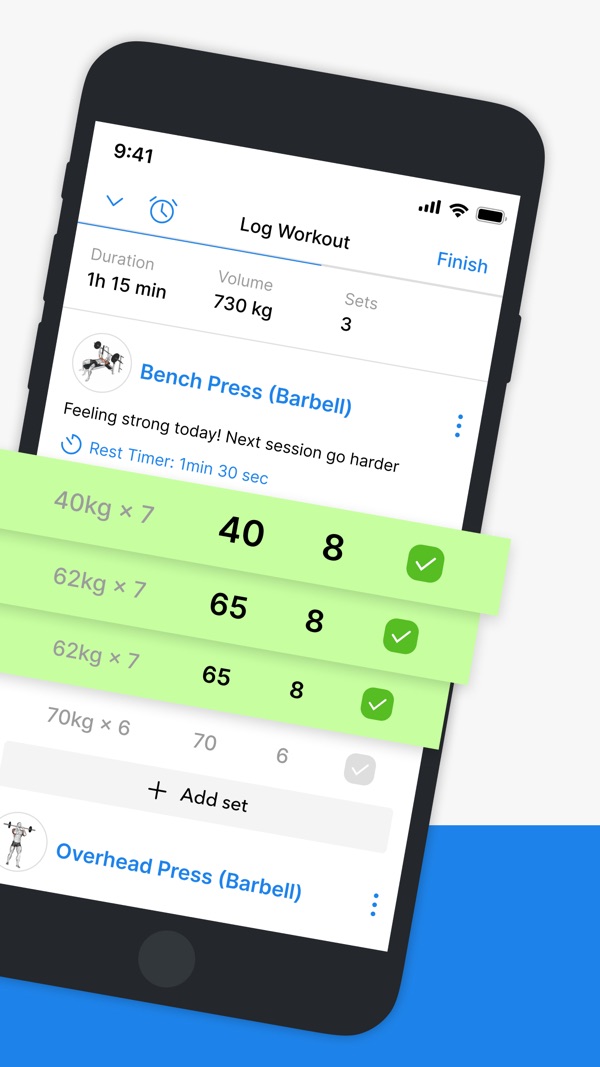
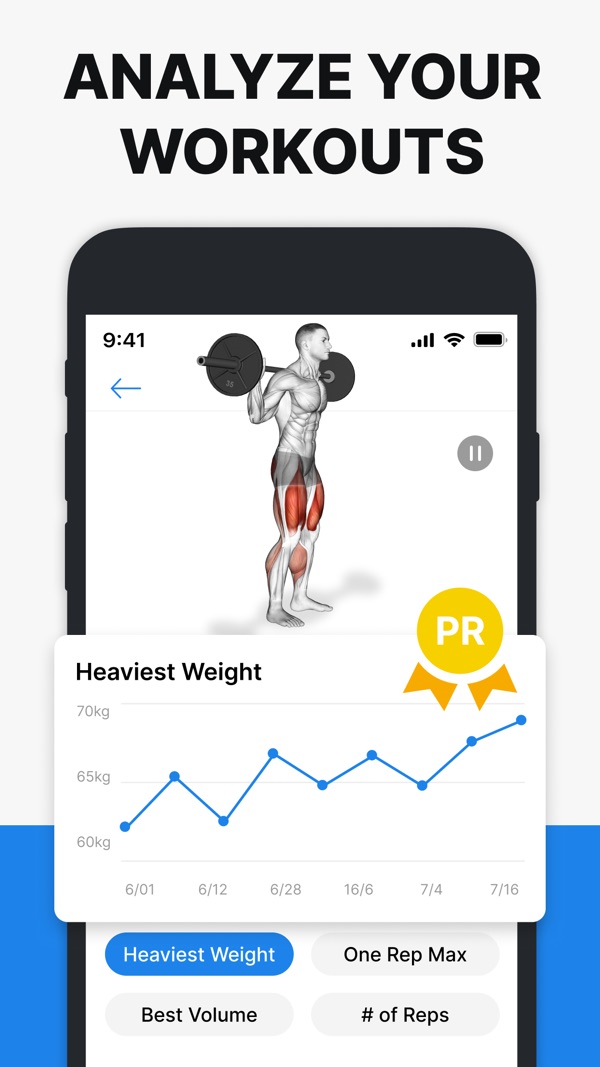
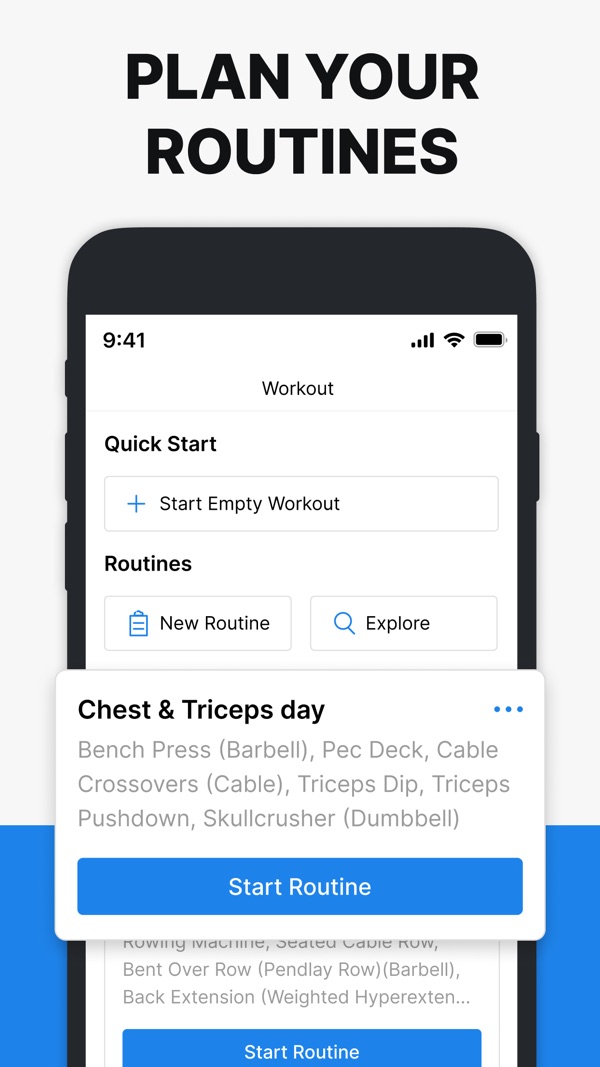
Hevy combines routines, charts, and a friend feed, with Pro Trainer available when you also want generated programming.
What to know
- Free logging and social tracking
- Generated programs and performance-based weight adjustments require Pro Trainer; free logging has limits.
Source-based editorial assessment using linked product information and comparison criteria. This is not an app-store or user rating, and it does not imply hands-on testing.
Bottom line
Hevy is strongest for free logging and social tracking, but generated programs and performance-based weight adjustments require pro trainer; free logging has limits.
Related comparisonShow specs, pros and evidenceHide specs, pros and evidence
Who it is for
- Free logging and social tracking
Pros and cons
Strengths
- Free logging and social tracking
Trade-offs
- Generated programs and performance-based weight adjustments require Pro Trainer; free logging has limits.
Best for AI-generated workouts
2. Fitbod
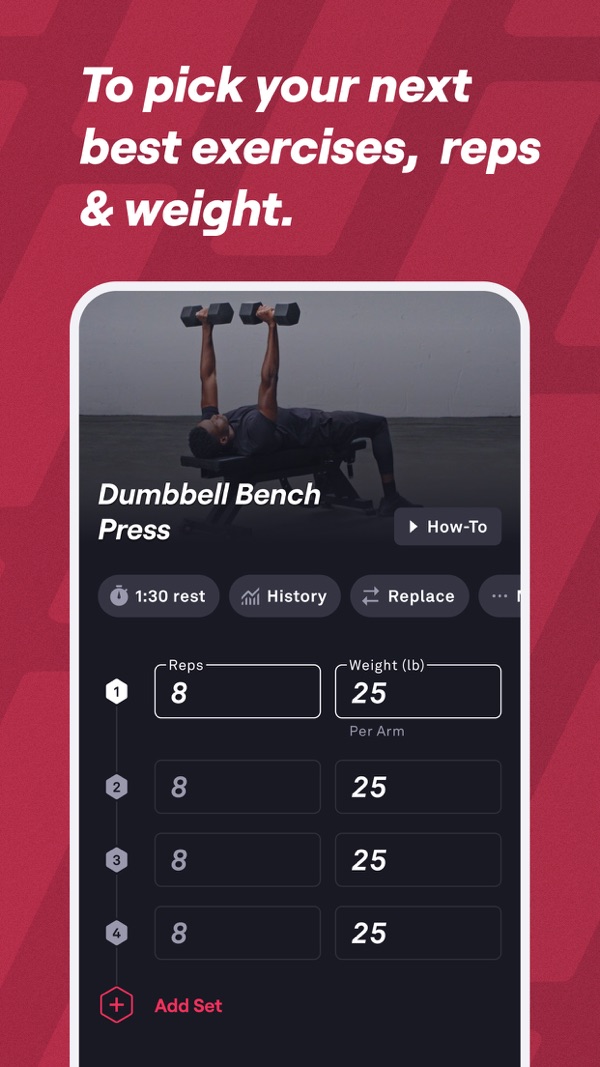
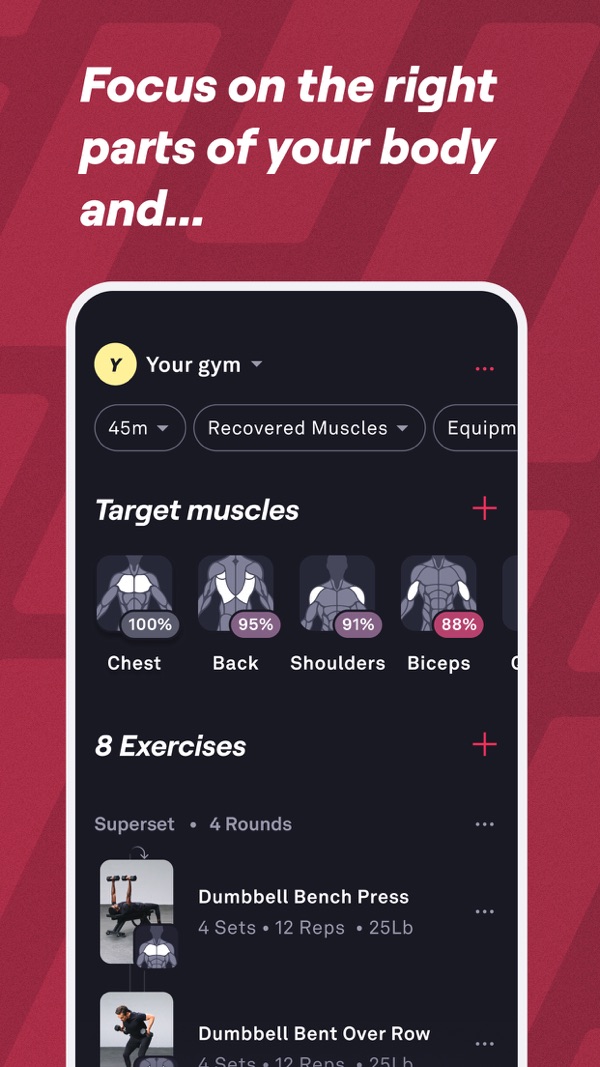
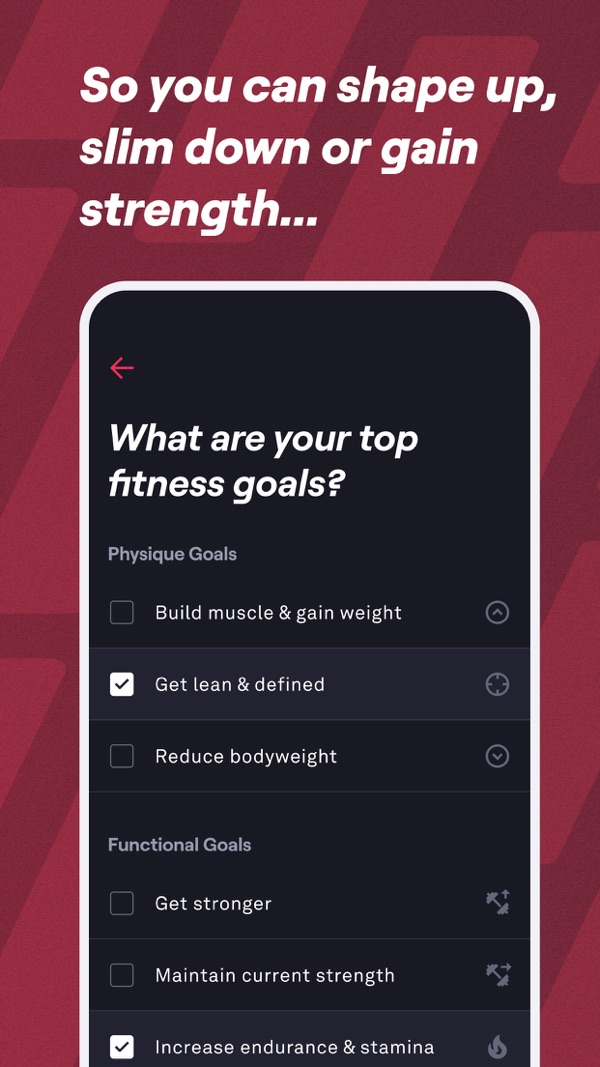
Fitbod is a better Strong alternative for people who want the app to generate sessions from equipment and recovery.
What to know
- AI-generated workouts
- The seven-day subscription trial renews unless canceled; new workout logging requires payment afterward.
Source-based editorial assessment using linked product information and comparison criteria. This is not an app-store or user rating, and it does not imply hands-on testing.
Bottom line
Fitbod is strongest for ai-generated workouts, but the seven-day subscription trial renews unless canceled; new workout logging requires payment afterward.
Related comparisonShow specs, pros and evidenceHide specs, pros and evidence
Who it is for
- AI-generated workouts
Pros and cons
Strengths
- AI-generated workouts
Trade-offs
- The seven-day subscription trial renews unless canceled; new workout logging requires payment afterward.
Best for Free strength-focused tracking
3. StrengthLog
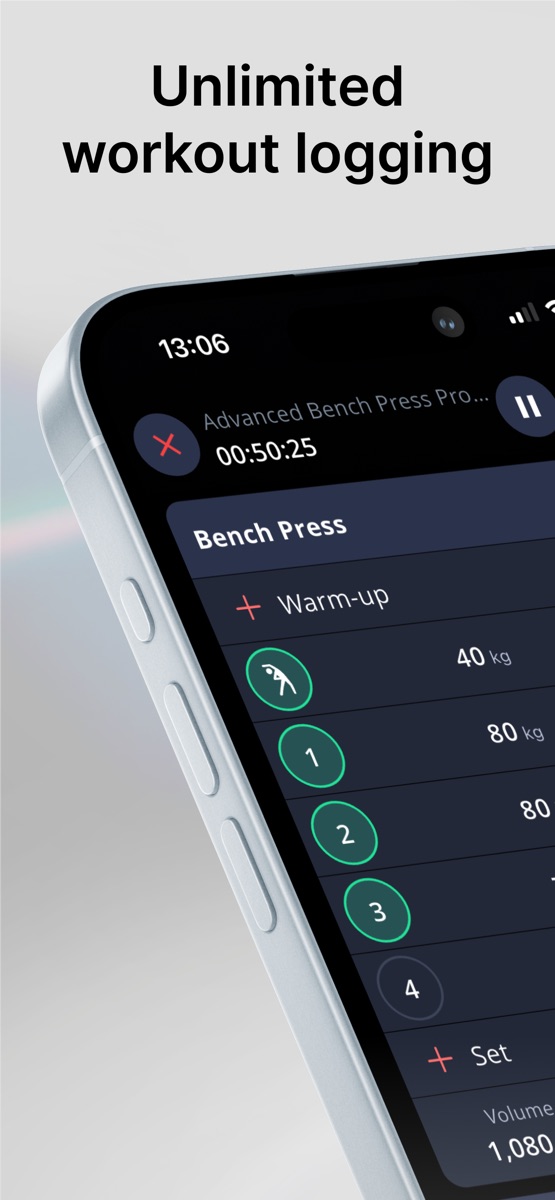
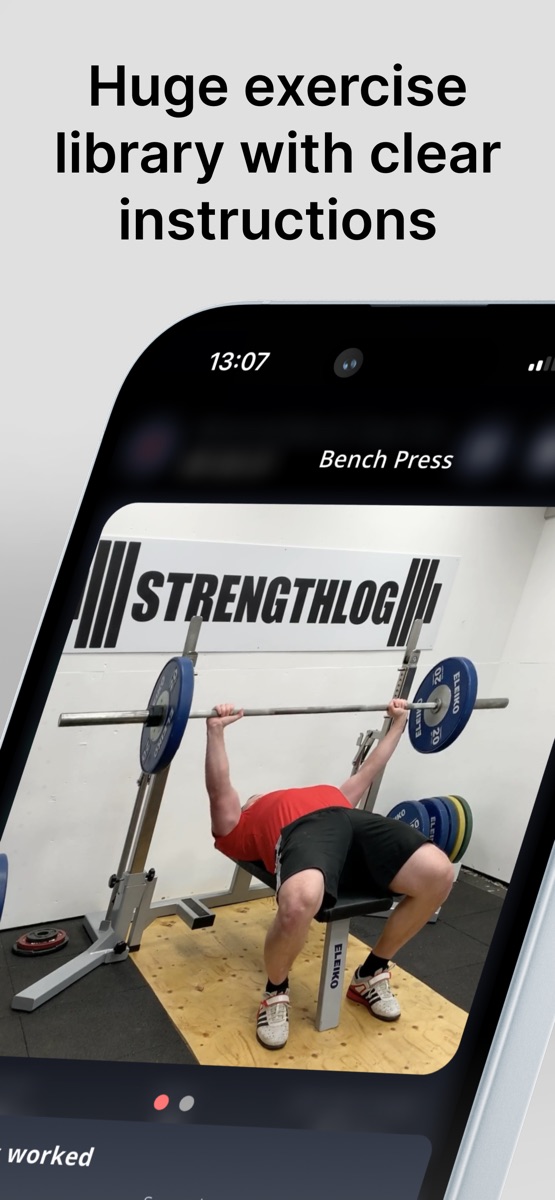
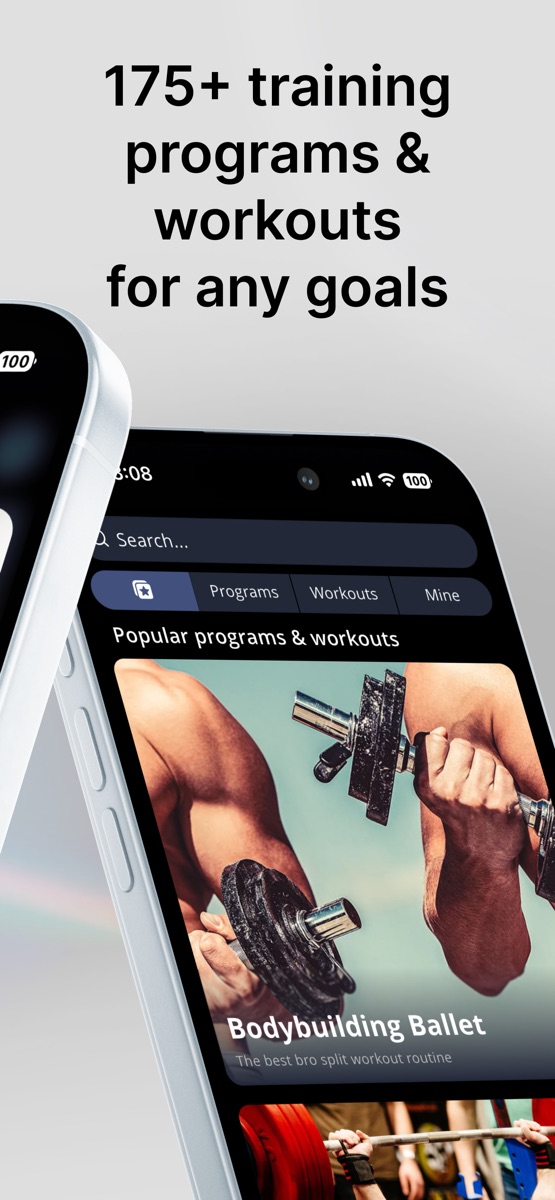
StrengthLog offers unlimited free logging, basic statistics, and basic programs, with documented Apple Watch and Wear OS support.
What to know
- Free strength-focused tracking
- RPE/RIR, percentage-based programming, and detailed reports require Premium; offline actions are not established here.
Source-based editorial assessment using linked product information and comparison criteria. This is not an app-store or user rating, and it does not imply hands-on testing.
Bottom line
StrengthLog is strongest for free strength-focused tracking, but rpe/rir, percentage-based programming, and detailed reports require premium; offline actions are not established here.
Related comparisonShow specs, pros and evidenceHide specs, pros and evidence
Who it is for
- Free strength-focused tracking
Pros and cons
Strengths
- Free strength-focused tracking
Trade-offs
- RPE/RIR, percentage-based programming, and detailed reports require Premium; offline actions are not established here.
Best for Program templates
4. Boostcamp
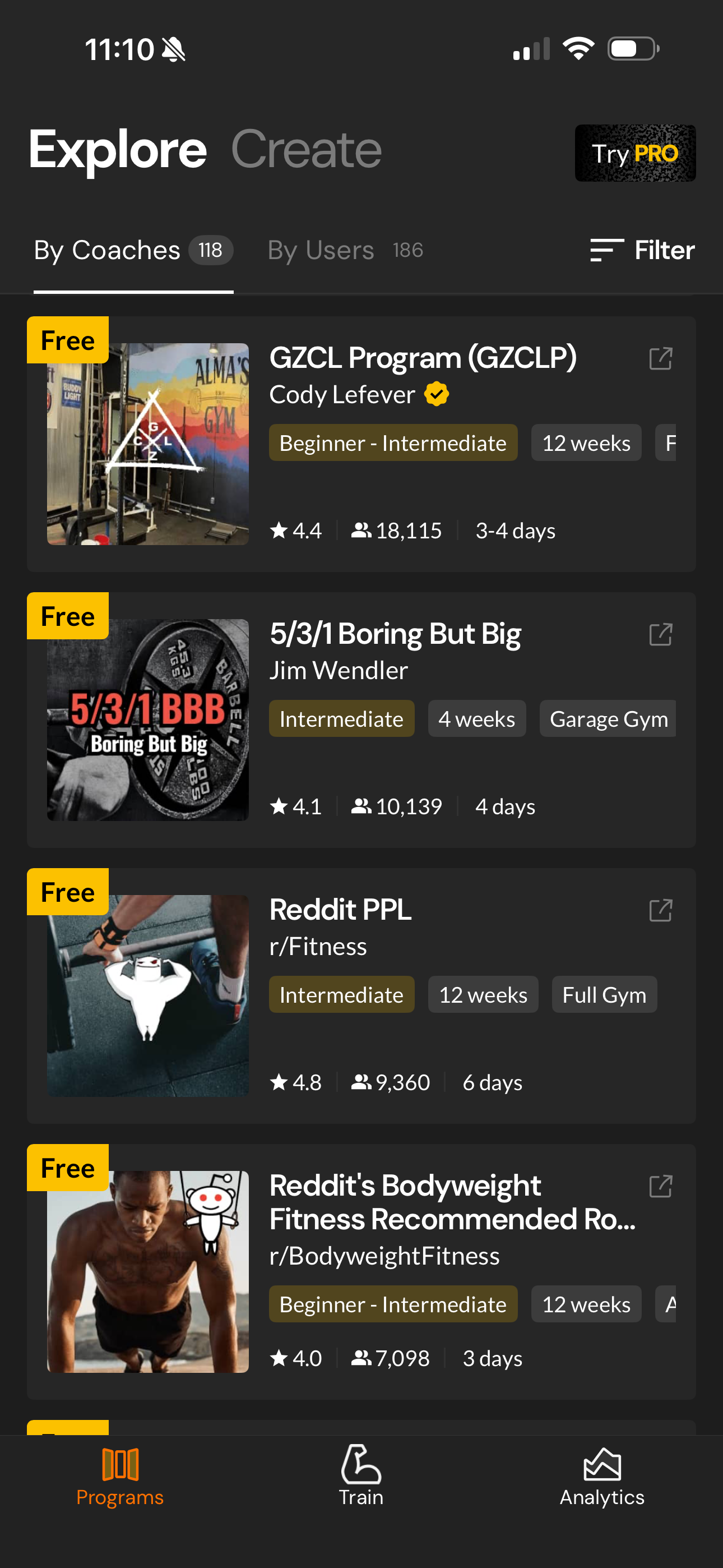
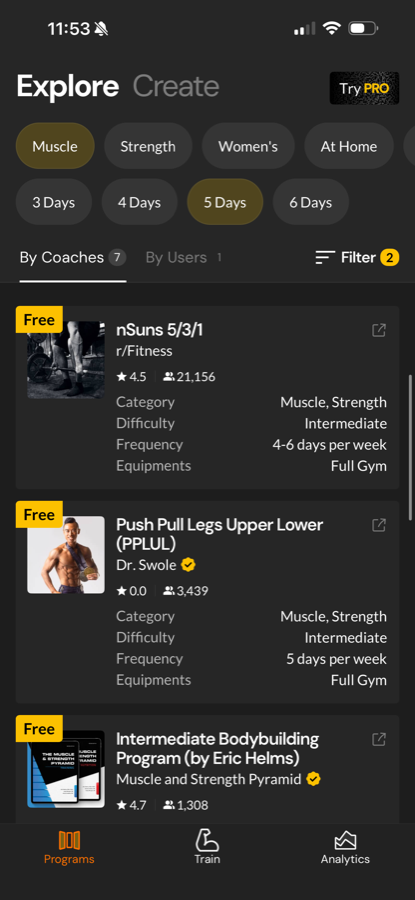
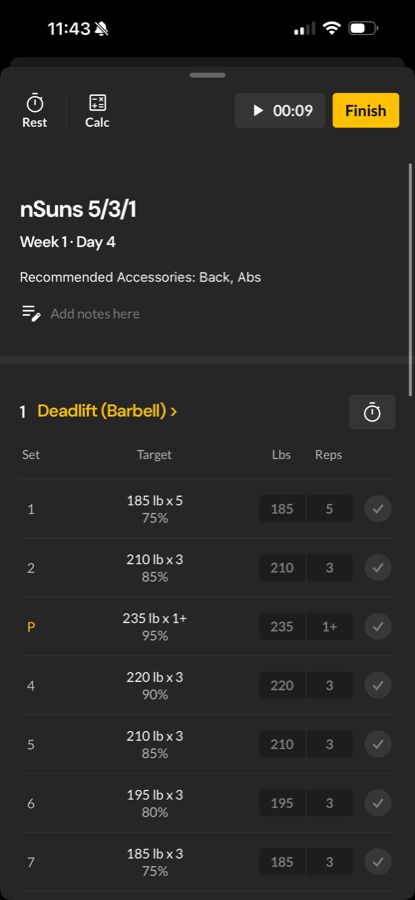
Boostcamp is good if you want to follow established programs rather than manually building your own Strong routines.
What to know
- Program templates
- Auto Progression, personalized program generation and advanced analytics require Pro. No Apple Watch or Wear OS app.
Source-based editorial assessment using linked product information and comparison criteria. This is not an app-store or user rating, and it does not imply hands-on testing.
Bottom line
Boostcamp is strongest for program templates, but auto progression, personalized program generation and advanced analytics require pro. no apple watch or wear os app.
Related comparisonShow specs, pros and evidenceHide specs, pros and evidence
Who it is for
- Program templates
Pros and cons
Strengths
- Program templates
Trade-offs
- Auto Progression, personalized program generation and advanced analytics require Pro. No Apple Watch or Wear OS app.
Best for Exercise library and load guidance
5. JEFIT
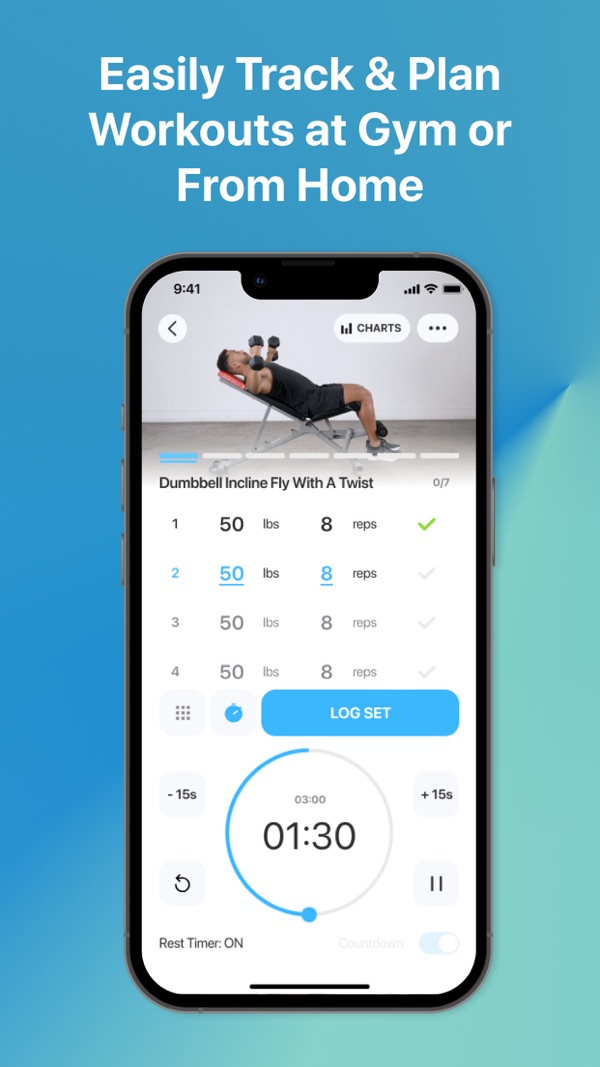
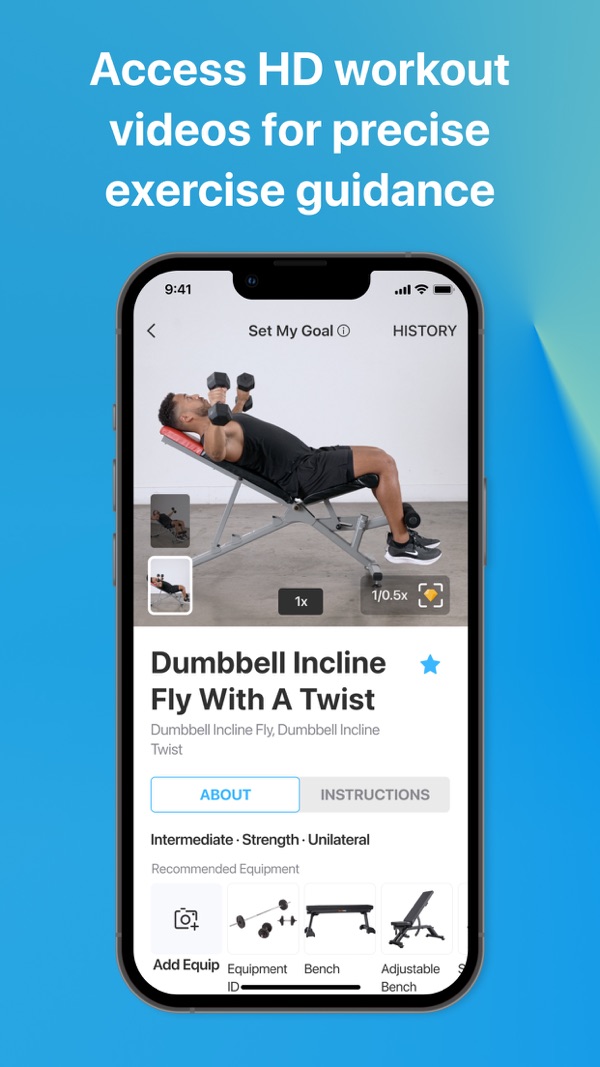
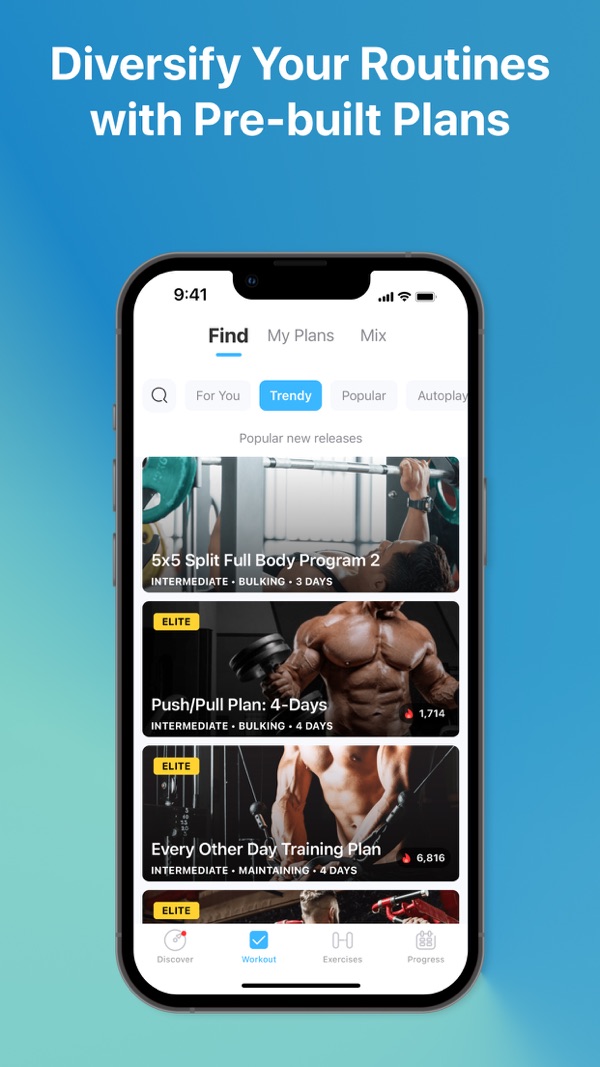
JEFIT documents an exercise library and Stage 1 load guidance; conflicting Adaptive Plan marketing and rollout notes leave generated-program availability unresolved.
What to know
- Exercise library and load guidance
- Watch support and full analytics require Elite. Adaptive-feature rollout and access need confirmation.
Source-based editorial assessment using linked product information and comparison criteria. This is not an app-store or user rating, and it does not imply hands-on testing.
Bottom line
JEFIT is strongest for exercise library and load guidance, but watch support and full analytics require elite. adaptive-feature rollout and access need confirmation.
Related comparisonShow specs, pros and evidenceHide specs, pros and evidence
Who it is for
- Exercise library and load guidance
Pros and cons
Strengths
- Exercise library and load guidance
Trade-offs
- Watch support and full analytics require Elite. Adaptive-feature rollout and access need confirmation.
First-party product note: AI coaching
6. Handler
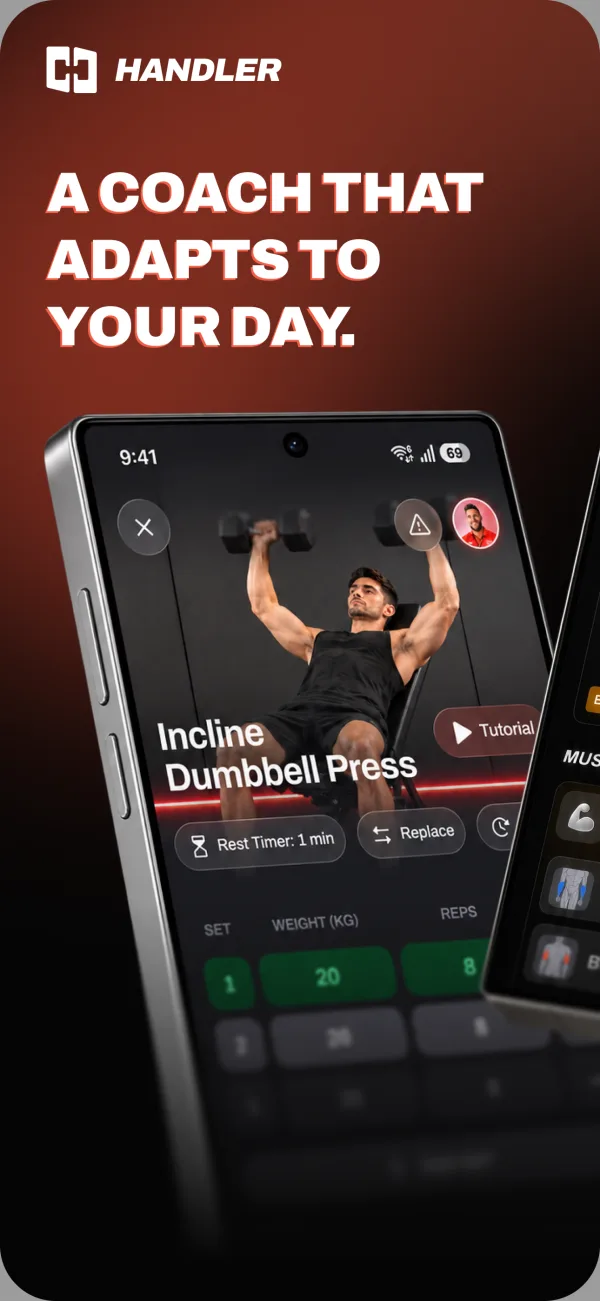
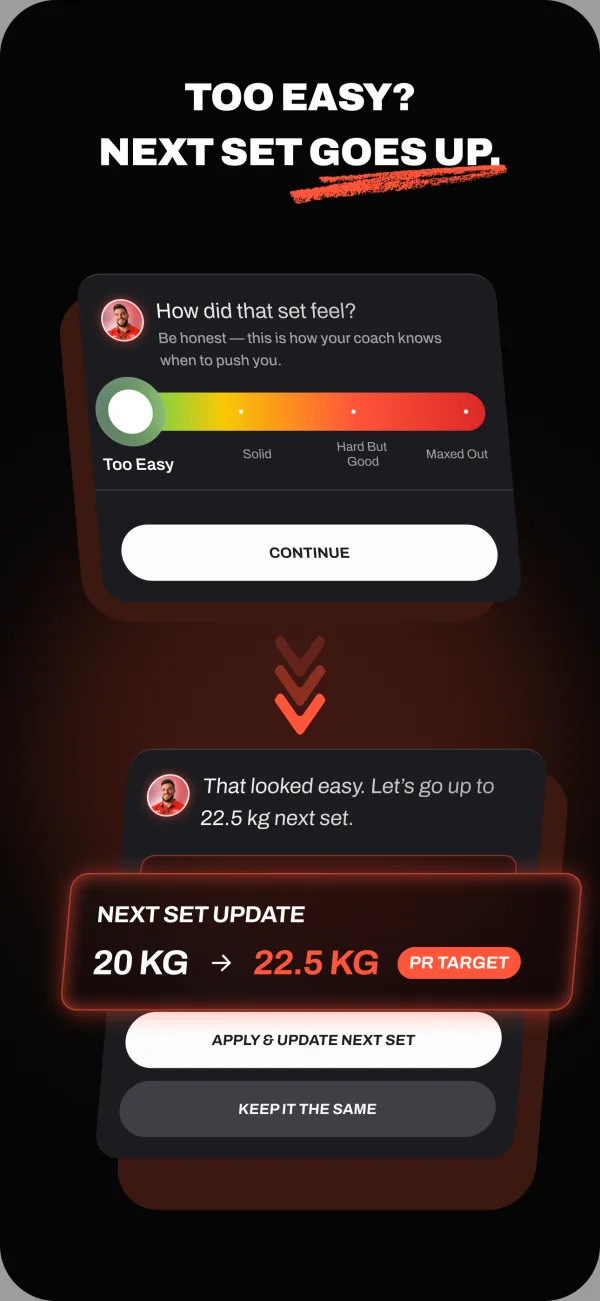
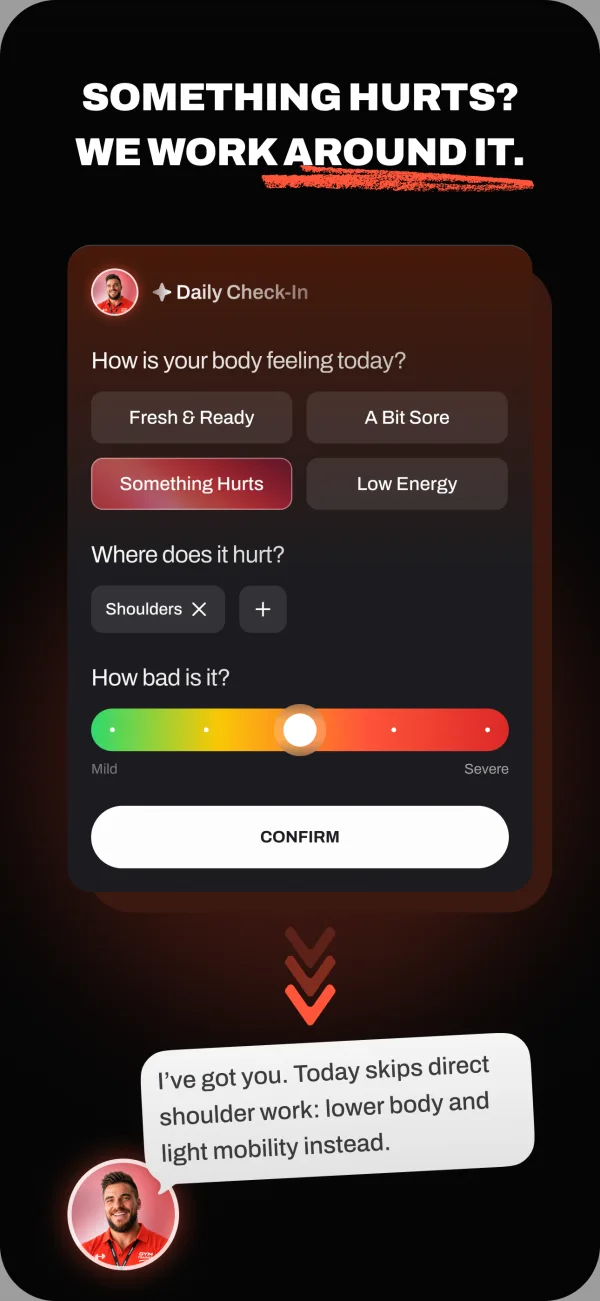
Handler is our own app, available on the App Store for iOS and on Google Play for Android. Its four-week strength plans, logging, and contextual coach chat offer a different product approach, not independently proven superiority over Strong.
What to know
- Readers considering strength plans, logging, and AI coach chat
- Handler Pro is required after onboarding. Monthly and annual prices and eligible introductory offer terms are shown in app before purchase. Apple Watch is in development; offline reliability is not independently established.
Handler is our own product, available on iOS and Android. We describe its documented features separately from competitor recommendations; this is not an independent review or a scored endorsement.
Bottom line
Handler is our product for strength plans, logging, and contextual coach chat. Handler Pro is required after onboarding. Monthly and annual prices and eligible introductory offer terms are shown in app before purchase. Apple Watch is in development; offline reliability is not independently established.
Related comparisonShow specs, pros and evidenceHide specs, pros and evidence
Who it is for
- Readers considering strength plans, logging, and AI coach chat
Pros and cons
Strengths
- Readers considering strength plans, logging, and AI coach chat
Trade-offs
- Handler Pro is required after onboarding. Monthly and annual prices and eligible introductory offer terms are shown in app before purchase. Apple Watch is in development; offline reliability is not independently established.
Who this is for
Who should use this guide?
This guide is for lifters choosing between workout trackers, coaching apps, program libraries, and generated-workout apps. If you already know you want a simple logbook, the answer may be different than if you want an app to decide your next workout.
Current Strong users
You like the general tracking flow but want to compare coaching, progression, Apple Watch, offline logging, or pricing tradeoffs.
Beginners choosing a first app
You want a plain-English shortlist instead of downloading several trackers and guessing which one fits your training style.
Experienced lifters switching tools
You already have a program and care about speed, reliability, routine limits, data export, and watch support.
Why trust us
Why you should trust this guide
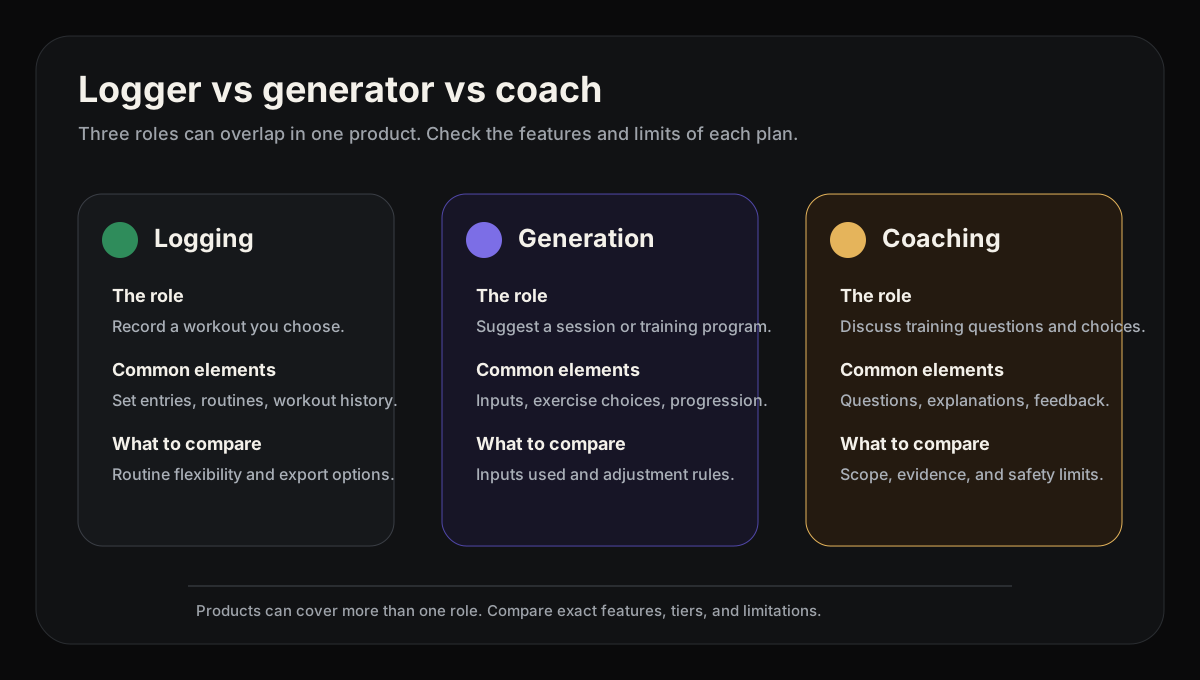
We compare the decisions a lifter makes around a workout using cited product information, not a feature checklist alone. A useful strength app should be clear about whether it is a logger, a workout generator, a program library, or a coaching product.
We call out where each app is strongest instead of forcing one winner for everyone. Recommendations are documentation-based judgments, not measured scores or a claim of hands-on testing. Handler is our own publicly available product, so we have a commercial interest and keep its first-party note separate from the competitor shortlist.
How we evaluated
How we evaluated the best Strong alternatives
We grouped apps by the job they do best, then compared the public information available for the moments that matter in strength training: setting up a plan, logging during the workout, adjusting progression, reviewing history, checking phone or watch support, and understanding free-tier limits. This is a source-based editorial assessment, not a controlled hands-on lab test.
Logging speed
Can you record sets without fighting the interface?
Programming help
Does it help decide what to do next, or only store what you did?
Progression
Can it help increase load, reps, volume, or consistency over time?
Workout-floor evidence
What do current sources document about phone/watch, offline, and time-pressure use?
Quick decision
The quick way to narrow the shortlist
Start with the job you actually need the app to do. A workout app can be a fast logbook, a coach, a workout generator, a program library, or a social training feed. Once you know which job matters most, the right alternative gets much easier to spot.
Do you already have a routine you want to keep?
Keep Strong if its three free custom routines cover your split and you want to continue recording your own targets. Switching loggers does not itself add programming guidance.
Compare Hevy for routines plus a social feed, or StrengthLog for unlimited free workout logging and basic statistics. StrengthLog's RPE/RIR logging and detailed reports require Premium; Hevy's generated programs require Pro Trainer.
Do you want a program to follow without paying for generation?
Boostcamp's library, tracker and manual program builder are free; Auto Progression requires Pro. That is a different starting point from entering every routine yourself in Strong.
Choose Hevy Pro Trainer if you want personalized program generation within a social logger. Boostcamp also offers personalized generation, but that and advanced analytics sit in Pro. Do not confuse its free manual builder with the paid personalized builder.
Does your available equipment change frequently?
Fitbod proposes workouts around your equipment and training history. It is worth comparing when keeping a fixed Strong routine up to date is the task you want the app to take over.
Its seven-day trial requires selecting a subscription and renews automatically unless canceled. After it ends, viewing history remains possible, but new workout logging requires payment. Local generation and logging work offline with documented history, media, and Focus Exercises limits.
Is watch access the deciding factor?
Strong documents phone-independent Apple Watch logging. Hevy and StrengthLog are other watch-enabled options; StrengthLog's store listings include Apple Watch and Wear OS. Compare the actions you need rather than assuming one app is faster.
JEFIT's pricing page places watch support in Elite. Boostcamp currently says it has no Apple Watch or Wear OS app. A watch app or phone-independent operation does not prove network-offline reliability.
Feature table
How the top Strong alternatives compare
This table is the quick scan across the main alternatives. The sections below explain the tradeoffs in plain English, because a checkmark rarely tells the whole story.
| Feature | Strong | Hevy | Boostcamp | Fitbod | StrengthLog | JEFIT |
|---|---|---|---|---|---|---|
| Reason to choose | Keep your existing routine | Social logging or Pro Trainer | Free programs; Auto Progression in Pro | Equipment-aware proposals | Free logs and basic statistics | Exercise library and load guidance |
| Free access | Free version saves unlimited workouts but is limited to 3 custom routines | Free with caps: 4 routines, 7 custom exercises and 3 months of workout and stats history. Pro removes the caps and adds Trainer | Free program library, full tracker and manual custom program builder; Auto Progression requires Pro | 7-day trial after selecting a monthly or yearly plan, then subscription | Unlimited free workout logging and custom exercises, no ads; Premium adds double and triple progression, the full program library and RPE/RIR logging | Free tier with ads and limits |
| Important paid boundary | Pro expands the three-routine cap | Trainer requires Pro | Personalized generation and advanced analytics require Pro | New logging requires payment after trial | RPE/RIR and detailed reports require Premium | Watch support and full analytics require Elite; check adaptive-plan access |
| Writes your program | Self-entered routines; generation not established | Trainer (Pro) | Personalized builder in Pro; manual custom programs are free | Generated sessions from training inputs | Create routines or follow the program library | Adaptive Plan documented; confirm current rollout and access |
| Auto progressive overload | Not established by linked documentation | Trainer (Pro); adjusts weights from performance | Pro only: Auto Progression adjusts loads from performance | Generated targets use training history; exact progression rules are not established here | Premium weight progression and percentage-based programming; adaptive targets not established | PO System load recommendations; confirm account access |
| Apple Watch app | ✓ | ✓ | No. Boostcamp currently says it has no Apple Watch or Wear OS app | Companion: iPhone required to start, add or swap exercises, and finalize/save workouts | App Store lists support; watch workflow not tested | Watch support listed in Elite; confirm device workflow |
| Offline logging | Phone-independent Apple Watch logging is confirmed; network-offline behavior and later sync are not confirmed in checked official sources | Yes, per Hevy's App Store listing (“Work out offline”); not tested by us | Store description documents offline use; sync and device reliability not tested | Local workout generation and logging; Focus Exercises, some history, and uncached videos need internet | Not established by linked documentation | Not established by linked documentation |
01 Fitbod's seven-day trial requires a subscription selection and renews unless canceled. Hevy documents four free routines, seven custom exercises, and restricted statistics views; check its local Pro price separately.
02 Watch availability, phone independence, and network-offline operation are separate questions. Boostcamp currently says it has no Apple Watch or Wear OS app. JEFIT places watch support in Elite.
Methodology
How we compare workout apps
We weight these pages for gym lifters choosing a strength-training app. That means programming quality, progression, logging speed, and workout-floor reliability matter more than generic wellness content.
Keeping your own routine
Strong records a plan you supply, with timers and a Pro plate calculator. Hevy adds a social feed to routine logging, while StrengthLog offers unlimited free logs and basic statistics. Choose by the tools and limits you need, not an unmeasured interface-speed ranking.
Programs without a subscription
Boostcamp includes established programs and unlimited manual custom programs for free; Auto Progression requires Pro. StrengthLog also includes basic programs, but RPE/RIR, percentage-based programming, and in-depth reports require Premium. Hevy Trainer's generated programs require Pro.
Generated targets
Hevy Pro Trainer adjusts working weights from performance; Fitbod uses history for generated targets; JEFIT documents a Progressive Overload System and Adaptive Plan. JEFIT's rollout FAQ distinguishes live load guidance from staged adaptation, so check account access before relying on a particular automated decision.
Watch and offline requirements
Strong's phone-independent watch logging, StrengthLog's Apple Watch and Wear OS listings, and JEFIT's Elite watch access answer different device questions. Fitbod documents local offline generation and saving; Strong's network-offline behavior is not established here. These are capability boundaries, not measured reliability results.
Detailed breakdown
Where the apps differ for training decisions
Feature tables are useful for scanning, but they miss the main thing: what each product's documented workflow means when you are between sets, changing a week, or deciding whether the plan is working. This is the more practical breakdown.
Hevy or StrengthLog when you still want a logbook
Best: Choose by free tools and social preferenceIf you already own your training plan, start by comparing what you can record without paying. Strong permits unlimited workouts but only three custom routines. Hevy offers free logging with limits and a social feed. StrengthLog offers unlimited free logs, basic statistics, and basic programs.
Hevy's help documents four free routines, seven custom exercises, and 30-day or three-month statistics views. Its Pro Trainer is a separate reason to upgrade if you want generated programs and weight adjustments.
StrengthLog's free statistics are not its Premium reports. Budget for Premium if logging RPE/RIR, programming with percentages, or reviewing detailed training reports is central to your workflow.
Practical takeaway
Keep Strong for an adequate existing setup; choose Hevy for social logging or StrengthLog for its free basic tracking tools.
Boostcamp or Hevy Trainer when you want a plan
Best: Boostcamp for free programs; Hevy Trainer for Pro generationBoostcamp starts with a free program library and allows unlimited manual custom programs; Auto Progression requires Pro. Hevy Pro Trainer instead generates a personalized program from inputs such as goals, schedule, and equipment, then adjusts weights from logged performance.
Boostcamp's personalized builder is also available, but belongs to Pro alongside advanced analytics. Its free custom builder means you can enter your own multi-week plan; it does not mean all personalized generation is free.
Practical takeaway
Browse Boostcamp if you want to choose a program; compare paid generation when you want the app to propose the program itself.
Fitbod or JEFIT when you want suggested targets
Best: Depends on session and program controlsFitbod generates equipment-aware sessions using training history and recovery context. JEFIT documents an exercise library and live Stage 1 load guidance. Its FAQ describes Stage 2 weekly mesocycle adaptation as forthcoming; Adaptive Plan marketing advertises generated blocks, but that conflicts with the rollout FAQ, leaving availability unresolved. JEFIT is not simply an exercise database with no planning help.
Check JEFIT's account access and rollout for the adaptive feature you want; its FAQ distinguishes live guidance from staged capabilities. Fitbod's subscription becomes necessary for new workout logging after the trial, even if you cancel and retain access to history.
Practical takeaway
Compare the proposed session and target controls you actually need. Documentation does not prove which recommendation produces better training results.
Watch use is not an offline guarantee
Best: Choose by device and access tierStrong documents Apple Watch logging without the phone. Hevy has watch support, and StrengthLog's store listings include Apple Watch and Wear OS. JEFIT lists watch support under Elite. Those are concrete alternatives to compare without claiming Strong is faster or more reliable.
Fitbod documents local generation, logging, and saving with later sync. Focus Exercises needs internet for the expected split, and some history and uncached media also need a connection. Strong's network-offline behavior and StrengthLog's offline actions are not established by the evidence used here.
Boostcamp currently says it has no Apple Watch or Wear OS app. Do not choose it for a required watch workflow.
Practical takeaway
Choose a watch-enabled app for documented wrist actions, and verify offline needs separately before moving your routine.
Tradeoffs
Where each app wins
This is the part most comparison pages get wrong. The useful answer is not one winner for everyone; it is knowing which product is better for which kind of lifter.
Where Strong is better
- Manual routines, rest timers, and a plate calculator with Pro
- Documented phone-independent Apple Watch logging
- Unlimited saved workouts with three free custom routines
- No need to migrate history if Strong already meets your needs
Public alternatives
- Hevy adds social logging and optional Pro Trainer programming
- Boostcamp adds a free program library, with Auto Progression in Pro
- Fitbod proposes sessions around equipment and training history
- StrengthLog provides free basic tracking; JEFIT documents live load guidance, with generated planning unresolved
Pricing
Pricing and value
Pricing changes often, so treat this as a snapshot. The more important question is whether you are paying for a better logbook, generated sessions, or an actual coaching layer.
Strong
Free; US App Store snapshot: Pro $4.99/month or $29.99/year
Unlimited free workouts; three custom routines. Pro expands routine access. No current lifetime purchase is established here.
Hevy
Free; Pro $2.99/month, $23.99/year or $74.99 lifetime (US App Store, October 30, 2026)
Free logging with limits. Pro includes Trainer programs and performance-based weight adjustments; check the current local offer.
Boostcamp
Free core; paid Pro
The library, tracker and manual program builder are free; Auto Progression requires Pro, as do personalized generation and advanced analytics.
Fitbod
US subscription help: $15.99/month or $95.99/year; store pricing varies by region
Seven-day trial after choosing a subscription; automatic renewal unless canceled. New workout logging requires payment after the trial.
StrengthLog
Free; Premium $16.90/month, $37.90/3 months or $109.00/year (US App Store, October 30, 2026)
Unlimited logging and basic statistics are free. RPE/RIR, percentage-based programming, and detailed reports require Premium.
JEFIT
Free; Elite about $13/mo in the US
Free logging has ads and limits. Elite includes watch support and full analytics; confirm access to adaptive features.
Recommendation
Which one should you choose?
Choose a public option if
- Choose Hevy when social logging or Pro Trainer is the missing feature
- Choose Boostcamp for a free program library; Auto Progression is Pro
- Compare Fitbod for generated sessions and JEFIT for live Stage 1 load guidance, not assumed generated-plan access
- Choose StrengthLog for free basic tracking, with Premium for RPE/RIR and reports
Choose Strong if
- Your existing routine works and you make your own progression decisions
- Three free custom routines cover your split, or Pro's routine access is worth the price
- Strong's documented watch actions and logging tools meet your needs
Frequently asked questions
What is a free alternative to Strong?
Which alternative can suggest weights or write a program?
Does StrengthLog include RPE/RIR and reports for free?
Which Strong alternatives support a watch?
Can I keep logging in Fitbod after canceling its trial?
Does Strong still offer lifetime pricing?
Sources
- 01Best workout tracker app methodology (our ranking criteria)
- 02Handler App Store listing (Public iOS availability, documented features and Pro subscription requirement. Not independent outcome evidence.)apps.apple.com/us/app/handler-gym-strength-coach/id6801004956
- 03Handler platform availability (First-party platform record; Google Play availability is team-confirmed and unlinked.)liftwithhandler.com/platforms/
- 04Handler subscription terms (Free download is not ongoing free access. Localized terms are shown before purchase.)liftwithhandler.com/pricing/
- 05Hevy official site (product positioning, social features, Apple Watch/Wear OS, and offline workout wording)hevyapp.com
- 06Hevy Trainer announcement (official Trainer positioning, generated programs, and performance-based automatic weight progression)hevyapp.com/announcing-hevy-trainer/
- 07Hevy workout plan generator (official Trainer page documenting personalized program generation, adjustable working weights, and Pro availability)hevyapp.com/features/workout-plan-generator/
- 08Hevy pricing page (Reference link for checking the current offer; not readable in this audit and not used to establish exact prices)hevy.com/pricing
- 09Hevy pricing comparison (Hevy's own US pricing: Pro $2.99 monthly, $23.99 annual, $74.99 lifetime, current as of October 14, 2026)hevyapp.com/hevy-pricing-comparison/
- 10Hevy 2026 features guide (Free vs Pro table: 4 routines, 7 custom exercises, 3 months of workout and stats history on free; Trainer is Pro; article text read through Hevy's public help-center API)help.hevyapp.com/hc/en-us/articles/33106320824727-Everything-You-Need-to-Know-About-the-Hevy-App-2026-Features-Guide
- 11Hevy free-version limits help (Official reference for free-tier limits and what happens on downgrade; article text verified through Hevy's public help-center API)help.hevyapp.com/hc/en-us/articles/38279350428695-What-will-happen-to-my-account-if-I-switch-from-Pro-to-the-free-version
- 12Hevy App Store listing (US in-app purchase prices ($2.99 and $3.99 monthly, $23.99 yearly, $74.99 lifetime), Apple Watch, and the listing's offline wording)apps.apple.com/us/app/hevy-workout-tracker-gym-log/id1458862350
- 13Hevy Google Play listing (Android and Wear OS availability)play.google.com/store/apps/details
- 14Fitbod membership page (membership reference; not a verified checkout snapshot)app.fitbod.me
- 15Fitbod subscription help (subscription plans, 7-day trial, and regional pricing caveat)help.fitbod.me/hc/en-us/articles/360004904714-How-to-Subscribe-to-Fitbod
- 16Fitbod trial help (7-day trial, auto-renewal, and post-trial access limits)help.fitbod.me/hc/en-us/articles/30542136101527-How-the-Trial-Works
- 17Fitbod FAQs (billing, features, integrations, trial, and platform-pricing caveats)fitbod.me/faqs/
- 18Fitbod App Store listing (iOS, Apple Watch, ratings, and in-app purchase reference)apps.apple.com/us/app/fitbod-gym-fitness-planner/id1041517543
- 19Fitbod Google Play listing (Android availability and user-review context)play.google.com/store/apps/details
- 20Fitbod Apple Watch help (watch support)help.fitbod.me/hc/en-us/articles/360006499194-Apple-Watch
- 21Fitbod offline help (offline-use limitations)help.fitbod.me/hc/en-us/articles/360006572594-Can-I-use-Fitbod-without-an-internet-connection
- 22Garage Gym Reviews Fitbod review (Further-reading reference only; not used to establish product facts or rankings)garagegymreviews.com/equipment/fitbod
- 23Lifehacker Fitbod review (Further-reading reference only; not used to establish product facts or rankings)lifehacker.com/health/fitbod-app-review
- 24Fitbod subreddit (community discussion link; not captured as review evidence)reddit.com/r/fitbod/
- 25StrengthLog official app page (product positioning and platform support)strengthlog.com/app/
- 26StrengthLog Apple Watch guide (official Apple Watch logging documentation; historical release guide, not a current hands-on test)strengthlog.com/the-best-gym-app-for-apple-watch-is-here/
- 27StrengthLog Premium help article (premium features and subscription reference; prices vary by country)help.strengthlog.com/help-article/strengthlog-premium/
- 28StrengthLog app terms (subscription and billing terms, including no transfer between Android and iOS)strengthlog.com/app-terms-privacy/
- 29StrengthLog App Store listing (US in-app purchase prices ($16.90 a month, $37.90 for 3 months, $109.00 a year), the free and Premium feature lists, and Apple Watch support)apps.apple.com/us/app/strengthlog-workout-tracker/id1434229662
- 30StrengthLog Google Play listing (Android availability)play.google.com/store/apps/details
- 31Boostcamp official site (free program library, Auto Progression labelled Pro, and the FAQ answer that there is no Apple Watch or Wear OS app)boostcamp.app
- 32Boostcamp Pro page (free vs Pro comparison: Auto Progression and personalized programs in Pro; prices and trial)boostcamp.app/pro
- 33Boostcamp free workout app page (free program library, full tracker, uncapped custom program builder; Auto Progression listed under Pro)boostcamp.app/free-workout-app
- 34Boostcamp App Store listing (iOS availability and in-app purchase reference)apps.apple.com/us/app/boostcamp-workout-programs/id1529354455
- 35Boostcamp Google Play listing (Android availability)play.google.com/store/apps/details
- 36JEFIT Progressive Overload System (official description of performance inputs and automated load recommendations)jefit.com/ai-workout-tracker
- 37JEFIT Adaptive Plan (marketing advertises generated blocks and weekly adaptation, while the FAQ confirms Stage 1 load progression and calls Stage 2 adaptation forthcoming; this conflict leaves generated-block availability unresolved)jefit.com/ai-workout-tracker/adaptive-plan
- 38JEFIT Watch (official Apple Watch and Wear OS workout logging documentation)jefit.com/watch
- 39JEFIT rollout FAQ (distinguishes live Strength Engine from staged mesocycle adaptation)jefit.com/support/faq
- 40JEFIT Elite pricing page (free and Elite pricing reference)jefit.com/elite
- 41JEFIT download page (product positioning and platform links)jefit.com/download-app
- 42JEFIT App Store listing (iOS, Apple Watch, and current US in-app purchase reference; monthly listing was $12.99 when checked)apps.apple.com/us/app/jefit/id449810000
- 43JEFIT Google Play listing (Android availability)play.google.com/store/apps/details
- 44Strong official site (product positioning and Apple Watch support)strong.app
- 45Strong PRO help article (Pro subscription, free-version access, and regional price caveat)help.strongapp.io/article/132-strong-pro
- 46Strong App Store listing (iOS, Apple Watch, free routine limit, and US Pro pricing reference)apps.apple.com/us/app/strong-workout-tracker-gym-log/id464254577
- 47Strong Google Play listing (Android availability)play.google.com/store/apps/details