Skip to content
Workout app buying guide

The best progressive overload apps

Short answer

Among public apps, Alpha Progression is the strongest progression planner, and Hevy is the best free manual logbook for running your own plan. Handler is in an invited iOS TestFlight beta; its iPhone test build covers program setup, workout logging, coach chat, and history/progress review, while progression behavior is under test rather than a public automatic-progression guarantee.

Pick Alpha Progression

Best public progression specialist

Pick Fitbod

Best generated progression-style workouts

Pick Hevy

Best free manual progression log

Will Richards
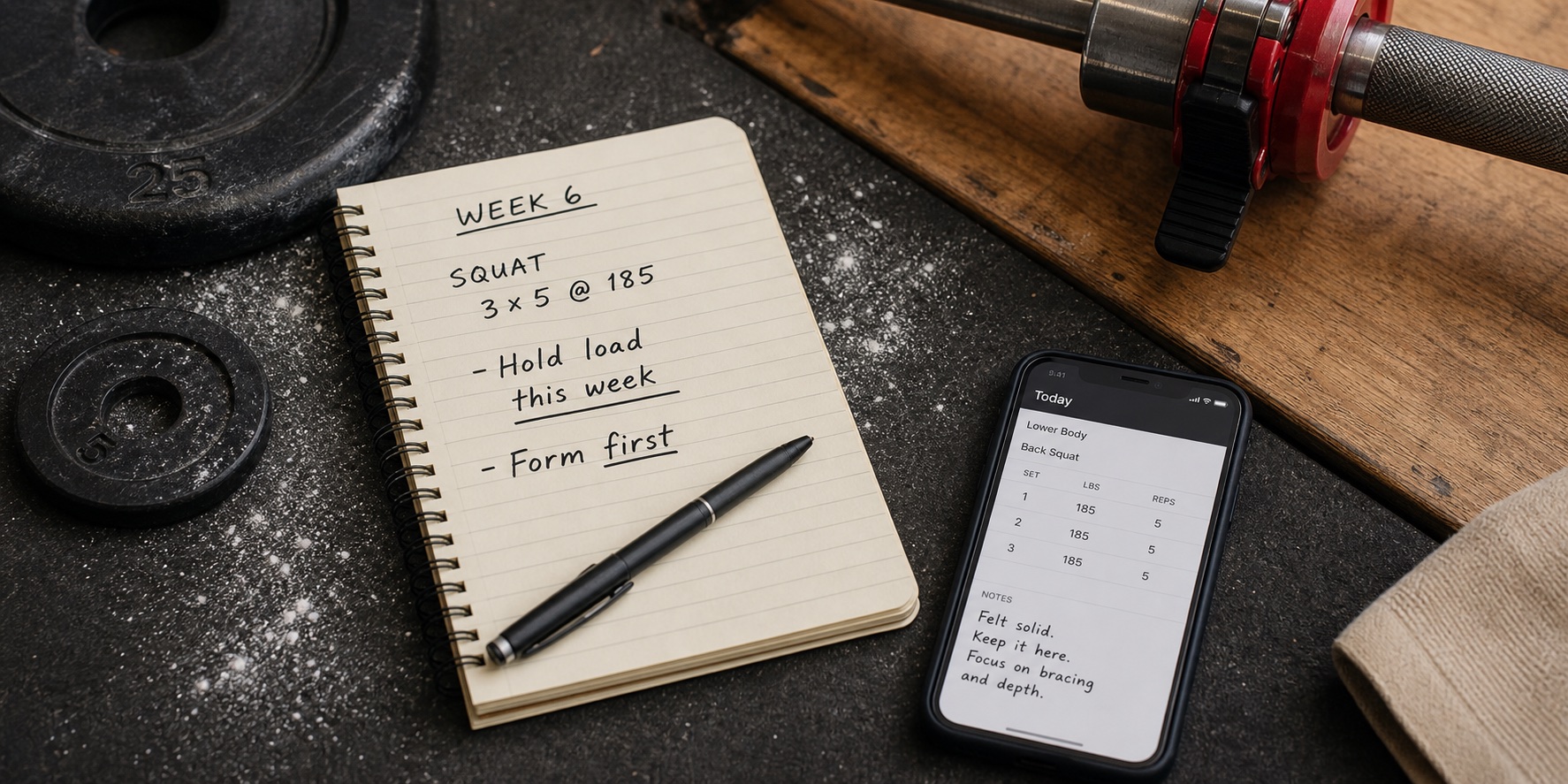
Lifter tracking progressive overload with a workout app beside a barbell
Progressive overload is easiest to apply when your app connects logged sets to next-session decisions.

About this guide

The strength apps that do more than store your sets: they help decide when to add weight, repeat a target, swap exercises, or adjust the plan.

These are documentation-based recommendations, not hands-on or multi-week test results. The guide's recorded date is June 24, 2026; it does not establish when each source was verified. Check the linked official pages for current prices and plan limits before subscribing.

Official product, support, subscription, and store pages provide the documented progression features and limitations. This guide does not claim a historical test, completed checkout, or measured training outcomes. Check regional offers and required device actions separately. Handler is our invited-beta preview, not public progression evidence.

Product references: Alpha Progression official site, Alpha Progression subscription page and Alpha Progression App Store.

Best by need

Fast picks before the full ranking

Top picks at a glance

Start with the job you need the app to do, then use the full reviews below to check the trade-offs. A manual logger, an AI coach, and a program library can all be good workout apps, but they solve different problems.

Key differences

Compare watch support, offline requirements, and plan limits before choosing.

AppAlpha ProgressionApple Watch supportNot established by linked documentationOffline useApp Store documents fully offline logging; device sync not testedFree/pricing sourcePrice: Free; Pro subscription. Free tier / trial: Free logging; plan generation, progression recommendations, and charts require Pro. Pricing/source labels: Alpha Progression subscription page, Alpha Progression App Store and Alpha Progression Google Play.Coaching depthProgram writing: Pro plan generator. Chat coach: Not established by linked documentation.Best forlifters who want progression rules, training plans, and detailed strength trackingOfficial product and store sources document progression planning, iOS/Android availability, and offline logging. The App Store description separates free logging from Pro plan generation and per-set recommendations; these descriptions are not a device reliability test.Key sources
AppFitbodApple Watch supportCompanion: iPhone required to start, add or swap exercises, and finalize/save workoutsOffline useLocal workout generation and logging; Focus Exercises, some history, and uncached videos need internetFree/pricing sourcePrice: US subscription help: $15.99/month or $95.99/year; store pricing varies by region. Free tier / trial: 7-day trial after selecting a monthly or yearly plan, then subscription. Pricing/source labels: Fitbod offline help, Fitbod membership page and Fitbod subscription help.Coaching depthProgram writing: Generated sessions from training inputs. Chat coach: Not established by linked documentation.Best forgenerated workouts around your available equipmentFitbod's subscription and trial help articles and store descriptions document workout generation, platforms, and access. Its offline help documents local generation and saving. The homepage is a reference destination, not required evidence here. These are product descriptions, not our own reliability tests.Key sources
AppHevyApple Watch supportYesOffline useYes; official watch section says Workout OfflineFree/pricing sourcePrice: Free logging; paid Pro (check current local offer). Free tier / trial: Free logging with limits; paid Pro includes Trainer; check the current local offer. Pricing/source labels: Hevy pricing, Hevy free-version limits help and Hevy App Store.Coaching depthProgram writing: Trainer (Pro). Chat coach: Not established by linked documentation.Best forlifters who want free social logging or paid Pro Trainer planningHevy's site and store listings describe logging and device support; its Trainer pages describe paid programming and weight adjustments. These are product descriptions, not a completed device or outcome test.Key sources
AppLiftosaurApple Watch supportListed in the App Store; device workflow not testedOffline useNot established by linked documentationFree/pricing sourcePrice: Free download; in-app purchases. Free tier / trial: Check current feature limits and in-app purchase options. Pricing/source labels: Liftosaur App Store and Liftosaur Google Play.Coaching depthProgram writing: Scriptable custom programs and templates. Chat coach: Not established by linked documentation.Best fortechnical lifters who want custom progression rulesOfficial site, App Store, and Google Play sources support Liftosaur's custom-progression positioning and public platform availability. We keep it as a niche pick because it is more setup-heavy than the mainstream options.Key sources

Store pricing, free-tier limits, and regional offers change; confirm current numbers on the linked official pricing and store pages before relying on an exact price.

Workflow illustrations

Use these illustrations to compare layouts and training workflows, not as evidence of logging speed, offline reliability, or coaching results.

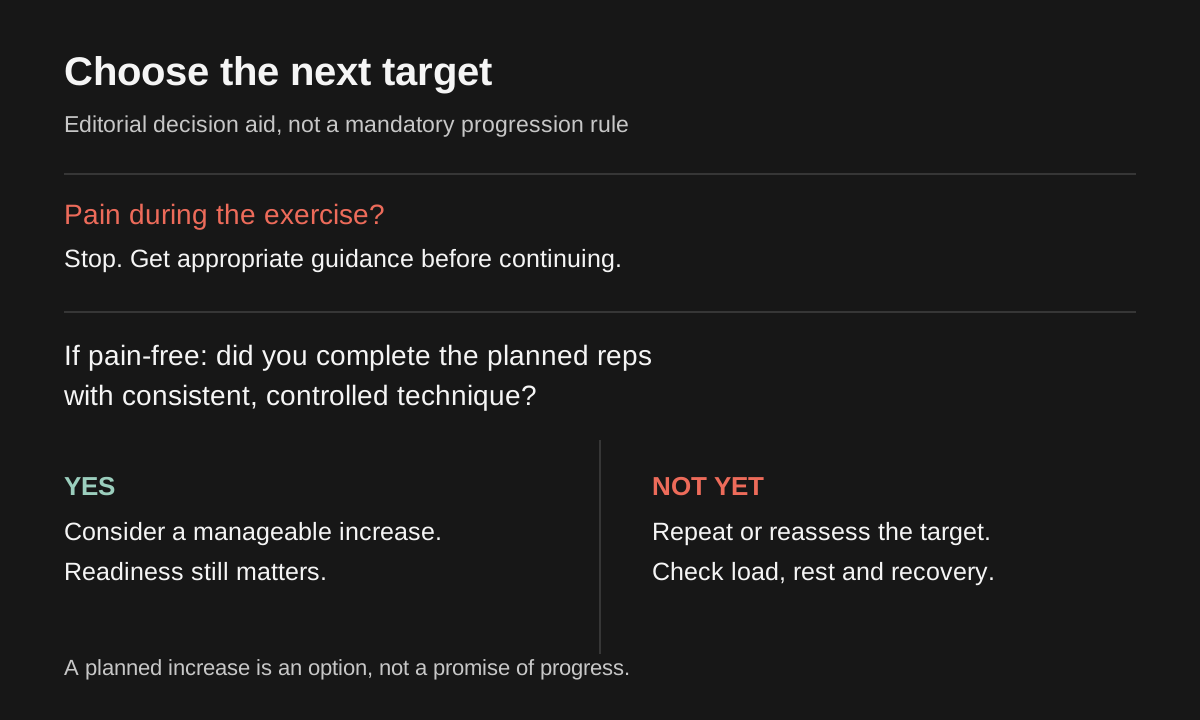
Decision guide for considering a manageable load increase after controlled, pain-free target reps
A suggested increase is optional. Check technique, recovery, and whether the next available weight is manageable.
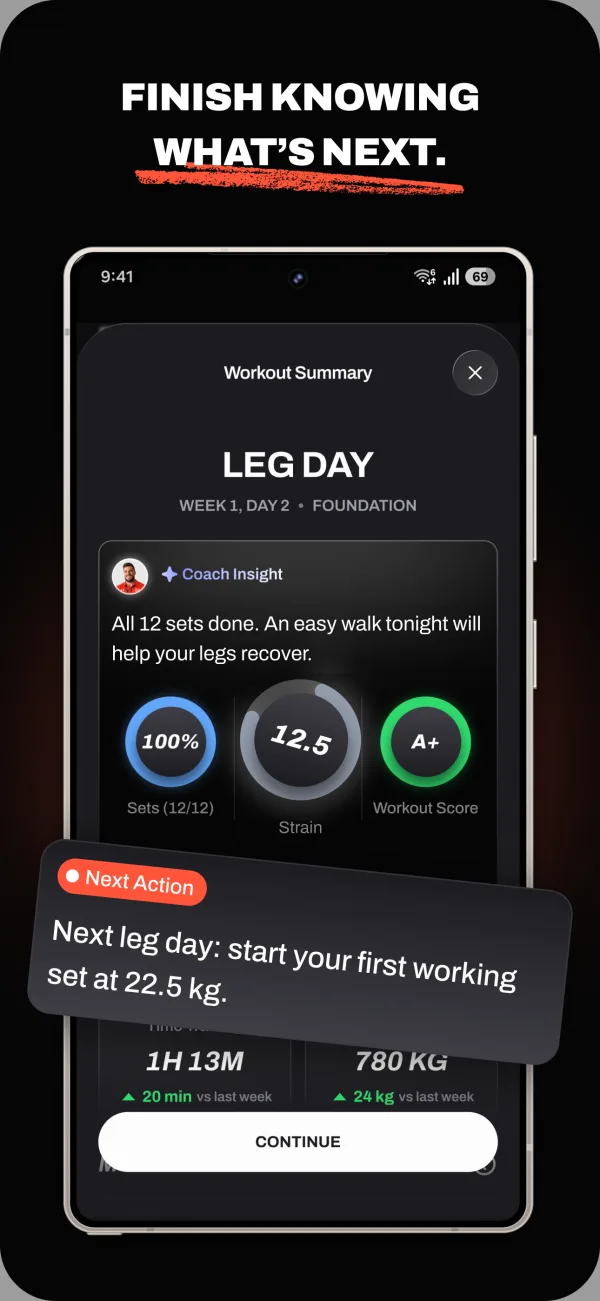
Handler progress history screen from the invited iPhone test build
The invited iPhone test build includes history and progress review so the workflow can be evaluated against logged training.
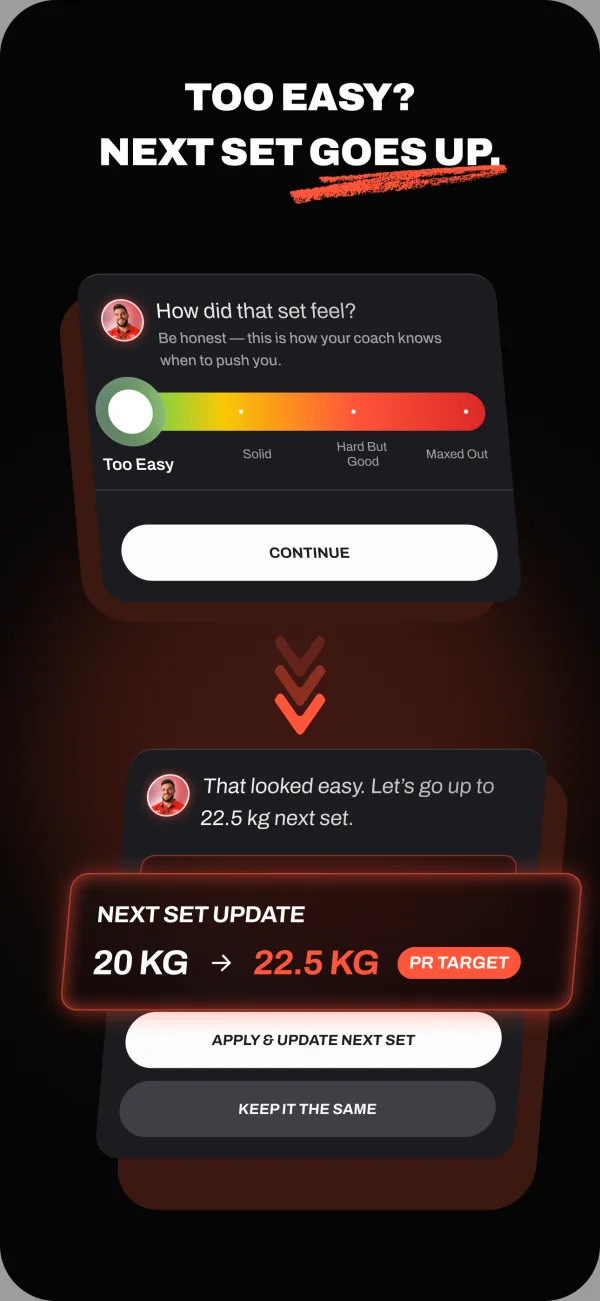
Handler coach chat screen used with workout history in the invited iPhone test build
Private-beta workflow reference: coach chat can be used to discuss a training adjustment alongside history; this does not establish a public automatic-progression guarantee.

The picks, explained

Best public progression specialist

1. Alpha Progression

Alpha Progression is the most relevant fully public option if your search is specifically about progressive overload. It focuses on strength plans, progression, exercise recommendations, and training analytics rather than social logging; the tradeoff is that it is less useful if you want conversational coaching or a public social feed.

Best for

lifters who want progression rules, training plans, and detailed strength tracking

Not for

people who mainly want a social feed or fully conversational coaching

Product references

Alpha Progression official site and Alpha Progression subscription page

Alpha Progression is more of a phone-first planning and tracking product than a social logbook. It is best judged by whether its plan builder and analytics make progression easier to manage over several weeks.

Alpha Progression's App Store description documents fully offline logging. We have not tested reconnect and device-sync behavior; Apple Watch support is not established by the linked documentation.

The app is relevant because progression is close to the core product: its public store copy describes workout plans, exercise recommendations, weight and rep recommendations, graphs, periodization, deloads, and progressive plans that increase sets or effort over time.

Alpha Progression puts its progression recommendations in Pro. Its official pages also describe generated programs and one-off workouts. Compare the tier containing the feature you need and check regional pricing at checkout; a free download does not make every planning feature free.

Why not ranked higher: It is less useful if you want conversational coaching, social accountability, or the app to explain every load adjustment like a personal coach.

Example workout decision: A typical use case is an intermediate lifter repeating a press or squat pattern over several weeks and using the app to keep volume, exercise selection, and next targets visible instead of deciding from memory.

Bottom line: Choose Alpha Progression when you want a public, progression-focused planning tool with stronger evidence available today.

Evidence

Official product and store sources document progression planning, iOS/Android availability, and offline logging. The App Store description separates free logging from Pro plan generation and per-set recommendations; these descriptions are not a device reliability test.

Best for

lifters who want progression rules, training plans, and detailed strength tracking

Not for

people who mainly want a social feed or fully conversational coaching

Features and plans

App type
Progression-focused planner
Price
Free; Pro subscription
Free tier / trial
Free logging; plan generation, progression recommendations, and charts require Pro
Platforms
iOS, Android
Apple Watch
Not established by linked documentation
Offline logging
App Store documents fully offline logging; device sync not tested
Program help
Pro plan generator
Generated workouts
Pro programs and one-off workouts

Before you subscribe

Check price, free-tier limits, and device requirements at Alpha Progression official site, Alpha Progression subscription page, Alpha Progression App Store and Alpha Progression Google Play. A watch app does not necessarily work without a phone or an internet connection. Try saving a short workout and syncing it on your own devices before relying on offline use.

Strengths

  • Built specifically around strength progression
  • Plan-building and progression recommendations in Pro
  • Training charts and analytics in Pro

Watch-outs

  • Free plan sharing is documented; a social feed is not established
  • More planning-focused than conversational coaching
Full Alpha Progression review

Best generated progression-style workouts

2. Fitbod

Fitbod works best if you want sessions generated around equipment and recovery rather than a classic manually programmed strength block; the tradeoff is that it can feel like too much product if you already know your plan and only need fast logging.

Best for

generated workouts around your available equipment

Not for

people who only need a free manual logbook or want a demonstrated conversational workflow

Product references

Fitbod official site and Fitbod offline help

Fitbod is strongest when the app creates the workout before you train. The watch or phone then becomes the companion for following and logging that generated session.

Fitbod's offline help documents local workout generation, logging, and saving with later sync, including history-based suggestions and cached videos. Focus Exercises requires internet for the expected split; some history and uncached media also need a connection. These capabilities are not restricted to preloaded workouts.

Fitbod is better described as a workout generator than a conversational coach. It helps with the next session more than explaining a long-term strength block.

Fitbod's subscription help lists US plans at $15.99/month or $95.99/year, and its trial help describes seven days after choosing a plan. This is documentation, not a checkout we completed; store prices can vary by region and account.

Why not ranked higher: If you already know your program, Fitbod may feel like too much product for simple logging.

Example workout decision: A typical use case is walking into a gym with limited equipment and letting Fitbod suggest the session, rather than following a fixed barbell progression you wrote yourself.

Bottom line: Choose Fitbod when the main job is generating workouts around your available equipment.

Evidence

Fitbod's subscription and trial help articles and store descriptions document workout generation, platforms, and access. Its offline help documents local generation and saving. The homepage is a reference destination, not required evidence here. These are product descriptions, not our own reliability tests.

Best for

generated workouts around your available equipment

Not for

people who only need a free manual logbook or want a demonstrated conversational workflow

Features and plans

App type
AI workout generator
Price
US subscription help: $15.99/month or $95.99/year; store pricing varies by region
Free tier / trial
7-day trial after selecting a monthly or yearly plan, then subscription
Platforms
iOS, Android, Apple Watch; Google Play documents Wear OS integration
Apple Watch
Companion: iPhone required to start, add or swap exercises, and finalize/save workouts
Offline logging
Local workout generation and logging; Focus Exercises, some history, and uncached videos need internet
Program help
Generated sessions from training inputs
Generated workouts
Yes

Before you subscribe

Check price, free-tier limits, and device requirements at Fitbod official site, Fitbod offline help, Fitbod membership page and Fitbod subscription help. A watch app does not necessarily work without a phone or an internet connection. Try saving a short workout and syncing it on your own devices before relying on offline use.

Strengths

  • Equipment-aware workout proposals
  • Exercise selection can reflect available gym equipment
  • Documented local workout generation and logging offline

Watch-outs

  • Generation documented; conversational coaching not established
  • Focus Exercises and some history/media features need a connection
Full Fitbod review

Best free manual progression log

3. Hevy

Hevy's free logger can record an existing progression plan. Its paid Trainer also documents generated programs and automatic weight adjustments, so compare the free and Pro workflows before deciding whether you need another app.

Best for

lifters who want free social logging or paid Pro Trainer planning

Not for

people who want Trainer-level planning and progression without a Pro subscription

Product references

Hevy official site and Hevy Trainer announcement

Hevy documents workout logging, reusable routines, history, charts, and social features. Its watch listings are a starting point for checking your device workflow, not evidence of speed or reliability in our own testing.

Hevy's official site names Apple Watch, Wear OS, and Workout Offline, while Google Play describes Wear OS tracking and phone sync. That does not establish offline Trainer planning, social features, or account actions; check those separately rather than extending the watch statement to the whole app.

Hevy Trainer documents personalized program generation and performance-based working-weight adjustments. Its announcement says Trainer is included in Pro. We have not compared its recommendations or explanations against another app in a hands-on trial.

Hevy offers free logging with limits and a paid Pro tier. Current offers can differ, so check the subscription shown to your account rather than relying on one historical price or routine-limit number.

Why not ranked higher: The planning and automatic progression described for Trainer require Pro. Check how the proposed targets fit your program before paying.

Example workout decision: A typical use case is running your own upper/lower or push/pull/legs program, logging each set quickly, and using history charts to decide whether to add weight next week.

Bottom line: Choose Hevy if you want a generous free logbook and are happy managing your own program.

Evidence

Hevy's site and store listings describe logging and device support; its Trainer pages describe paid programming and weight adjustments. These are product descriptions, not a completed device or outcome test.

Best for

lifters who want free social logging or paid Pro Trainer planning

Not for

people who want Trainer-level planning and progression without a Pro subscription

Features and plans

App type
Workout tracker and adaptive planner
Price
Free logging; paid Pro (check current local offer)
Free tier / trial
Free logging with limits; paid Pro includes Trainer; check the current local offer
Platforms
iOS, Android, Apple Watch, Wear OS
Apple Watch
Yes
Offline logging
Yes; official watch section says Workout Offline
Program help
Trainer (Pro)
Generated workouts
Trainer (Pro)

Before you subscribe

Check price, free-tier limits, and device requirements at Hevy official site, Hevy Trainer announcement, Hevy pricing and Hevy free-version limits help. A watch app does not necessarily work without a phone or an internet connection. Try saving a short workout and syncing it on your own devices before relying on offline use.

Strengths

  • Free logging alongside paid Trainer planning
  • Trainer generates personalized programs and adjusts weights from performance
  • Social feed and following

Watch-outs

  • Trainer and its planning guidance are Pro features
  • The core logger still assumes you know which workflow you want
Full Hevy review

Best custom progression rules

4. Liftosaur

Liftosaur is the best niche pick if you want to define custom progression logic instead of using a mainstream logger or generated-workout app; the tradeoff is that custom rules can be less approachable for beginners who want the app to explain the decision.

Best for

technical lifters who want custom progression rules

Not for

beginners who want a simple coach or polished social logbook

Product references

Liftosaur official site and Liftosaur App Store

Liftosaur is most relevant when the lifter wants control over the progression rules themselves. It is less about social logging or polished workout generation and more about turning your own progression logic into a repeatable tracker.

Liftosaur's App Store listing includes Apple Watch support. We have not assessed its watch workflow or established device-specific offline behavior; the recommendation here is for custom progression rules.

The key advantage is scriptable or rule-based progression. That makes it useful for lifters who already understand their training logic and want the app to enforce or track it more precisely than a generic logbook.

Liftosaur is a free download with in-app purchases. Check its official site and store listings for current feature limits and regional prices; this page does not establish a paid tier name or every feature allocation.

Why not ranked higher: The same flexibility that makes Liftosaur powerful can make it less approachable for beginners who want the app to explain the next decision.

Example workout decision: A typical use case is a lifter who wants custom rules for when to add weight, repeat a target, or change rep ranges instead of relying on a prebuilt app recommendation.

Bottom line: Choose Liftosaur if custom progression rules matter more than beginner simplicity. Choose Alpha Progression if you want a more mainstream public progression specialist.

Evidence

Official site, App Store, and Google Play sources support Liftosaur's custom-progression positioning and public platform availability. We keep it as a niche pick because it is more setup-heavy than the mainstream options.

Best for

technical lifters who want custom progression rules

Not for

beginners who want a simple coach or polished social logbook

Features and plans

App type
Custom progression logger
Price
Free download; in-app purchases
Free tier / trial
Check current feature limits and in-app purchase options
Platforms
iOS, Android
Apple Watch
Listed in the App Store; device workflow not tested
Offline logging
Not established by linked documentation
Program help
Scriptable custom programs and templates
Generated workouts
User-defined scripts; automatic program generation not established

Before you subscribe

Check price, free-tier limits, and device requirements at Liftosaur official site, Liftosaur App Store and Liftosaur Google Play. A watch app does not necessarily work without a phone or an internet connection. Try saving a short workout and syncing it on your own devices before relying on offline use.

Strengths

  • Custom progression logic
  • Good fit for lifters who like programming rules
  • iOS and Android availability

Watch-outs

  • More setup-heavy than mainstream loggers
  • Less beginner-friendly than generated-workout apps
Visit Liftosaur

Which app should you choose?

Use this section if you already know your training style and just need the fastest recommendation. The ranking above is editorial, but the best answer can change depending on whether you want a ready-made program, generated sessions, or a free logbook.

Choose Alpha Progression for

Best public progression specialist

Choose Alpha Progression for lifters who want progression rules, training plans, and detailed strength tracking. It is not the best fit for people who mainly want a social feed or fully conversational coaching.

Choose Fitbod for

Best generated progression-style workouts

Choose Fitbod for generated workouts around your available equipment. It is not the best fit for people who only need a free manual logbook or want a demonstrated conversational workflow.

Choose Hevy for

Best free manual progression log

Choose Hevy for lifters who want free social logging or paid Pro Trainer planning. It is not the best fit for people who want Trainer-level planning and progression without a Pro subscription.

Choose Liftosaur for

Best custom progression rules

Choose Liftosaur for technical lifters who want custom progression rules. It is not the best fit for beginners who want a simple coach or polished social logbook.

How the picks compare

The best progressive overload apps
FeatureAlpha ProgressionFitbodHevyLiftosaur
Writes your programPro plan generatorGenerated sessions from training inputsTrainer (Pro)Scriptable custom programs and templates
Chat coachNot established by linked documentationNot established by linked documentationNot established by linked documentationNot established by linked documentation
Auto progressive overloadWeight and rep recommendations in ProGenerated targets use training history; exact progression rules are not established hereTrainer (Pro); adjusts weights from performanceYes
Generated workoutsPro programs and one-off workoutsYesTrainer (Pro)User-defined scripts; automatic program generation not established
Program libraryGenerated and self-created plans; browsable library not establishedGenerated and saved workoutsSaved routines and Trainer-generated programsPre-built programs with editable progression scripts
Apple Watch appNot established by linked documentationCompanion: iPhone required to start, add or swap exercises, and finalize/save workoutsYesListed in the App Store; device workflow not tested
Offline loggingApp Store documents fully offline logging; device sync not testedLocal workout generation and logging; Focus Exercises, some history, and uncached videos need internetYes; official watch section says Workout OfflineNot established by linked documentation
Free tierYes7-day trial, then paid subscriptionFree logging; Trainer requires Pro; confirm current limitsYes
Social / communityFree plan sharing; a social feed is not establishedNot established by linked documentationYesProgram sharing; a social feed is not established

Table values are category-level summaries. "Limited" means the sources for this guide show a limited, indirect, phone-first, or lighter workflow rather than a complete Apple Watch, offline, or coaching workflow. Offline descriptions are documentation summaries, not results of our own connectivity tests. Confirm whether a workout must be loaded in advance, whether it can be saved without a signal, and how it syncs afterward before relying on an app at a no-signal gym.

Other apps we considered

These apps may still be worth checking if your needs are narrower, but they were not the top picks for this specific strength-training use case.

Strong

minimal self-programmed logging

Strong is excellent if you already know the plan and want a quiet logbook, but it is not focused on automatic progression decisions.

Boostcamp

following named strength programs

Boostcamp documents performance-based auto-progression alongside its free program library. Pro adds personalized building and advanced analytics. It is relevant to this shortlist, but this guide does not compare recommendation quality across apps.

JEFIT

Data-heavy tracking

Its linked homepage provides product positioning, but the captured promotional quotations do not establish routine-builder behavior or analytics scope. This guide does not establish how its automatic targets compare with the featured planners.

StrengthLog

Free strength logging

Its free strength logging and program options are relevant, with reports in Premium. This guide does not compare automatic recommendation quality with Alpha Progression.

How we picked

Compare which targets the product documents proposing, what inputs it uses, what is paid, and how you can override a recommendation. This is a documentation-based shortlist, not a scored comparison or a test of training outcomes. A logged workout, a rule-based target, and a conversation are different capabilities. Handler remains a separate first-party invited beta, not a public automatic-progression guarantee.

For strength training, compare the documented program tools, progression options, equipment choices, wearable support, and plan limits first. Calorie tracking or a large exercise library will not replace a missing program feature you need each week.

We also separate app types before ranking them. A free logbook can be the right answer for someone who already has a program, while a coaching app is a better answer for someone who wants the plan built and adjusted. The goal is not to crown one app for everyone; it is to make the use case obvious enough that a reader can choose quickly.

The order reflects our judgment of documented features for this training need, not measured performance or a numerical rating. Handler is our own private-beta product and is excluded from the public shortlist and comparison table.

Separate disclosure: Handler's private beta

Handler is our own product. Handler is in an invited iOS TestFlight beta and does not have a public App Store listing yet.

The private iPhone test build includes program setup, workout logging, coach chat, history and progress review. Apple Watch is in development and offline logging is under test. These are not verified public capabilities or evidence of better results.

See platform status and pricing status for first-party details.

Sources and further details

Follow these links for plan limits, device compatibility, and the features included in each subscription.

Official product pages, App Store/Google Play listings, help docs, and pricing pages are used for availability, platform, watch/offline, free-tier, and price claims. Third-party or community sources are treated as supporting context only and do not override official evidence. The guide record date is not a source-verification date.

Guide record: June 24, 2026
Alpha Progression official siteofficial product positioning and progression featuresAlpha Progression subscription pagepricing and subscription detailsAlpha Progression App StoreApp Store availability, platform, and public progression-feature claimsAlpha Progression Google PlayGoogle Play availability and Android platform checkHevy official siteReference for Hevy product positioning and feature checks.Hevy pricingCurrent local Pro offer and feature reference; exact prices and free limits are not asserted here.Hevy free-version limits helpReference for free routine, custom exercise, measurement, and stats-history limits.Handler progression testReference for Handler's invited-beta progression workflow under test.Boostcamp official Pro pagePersonalized program building and advanced analytics in Pro.Liftosaur official sitesupporting research or comparison contextLiftosaur App StoreApp Store availability for the custom-progression also-considered pickLiftosaur Google PlayGoogle Play availability for the custom-progression also-considered pickFitbod official siteReference for Fitbod product positioning and feature checks.Fitbod membership pageMembership offer reference; no completed checkout is claimed.Fitbod subscription helpReference for subscription plan, 7-day trial, and regional pricing caveat.Fitbod trial helpReference for 7-day trial and auto-renewal details.Fitbod Google PlayAndroid availability and store-presented product detailsHevy progressive overload guidesupporting context on progression conceptsFitbod offline helpFitbod App StoreHevy Trainer announcementHevy App StoreHevy Google PlayAlpha Progression App Store listingiOS availability and in-app purchase referenceFitbod FAQsbilling, features, integrations, trial, and platform-pricing caveatsFitbod Google Play listingAndroid availability and user-review contextFitbod Apple Watch helpwatch supportGarage Gym Reviews Fitbod reviewFurther-reading reference only; not used to establish product facts or rankingsLifehacker Fitbod reviewFurther-reading reference only; not used to establish product facts or rankingsFitbod subredditcommunity discussion link; not captured as review evidenceHevy workout plan generatorofficial Trainer page documenting personalized program generation, adjustable working weights, and Pro availabilityHevy Google Play listingAndroid and Wear OS availability

Who this guide is for

People choosing a first app

You want to avoid downloading five trackers and need a plain answer about which app fits your training style, budget, and equipment.

Lifters switching tools

You already train consistently, but your current app is too limited, too expensive, or not helpful enough with progression.

People comparing app categories

You are deciding whether you need a manual logger, generated workouts, a program library, or a coach-like product that changes the plan over time.

Before you commit to an app

During a free tier or trial, enter a familiar workout, log a few sets, and find them in your history. Check whether the program tools you need are included in that tier and whether you can change a suggested exercise or weight.

For watch or offline use, try the exact phone-and-watch setup you train with before taking it to the gym. A documented feature is a reason to shortlist an app, not proof that it will work reliably in your setup. Keep your existing log until you know how to export or recover your history.

Frequently asked questions

What is the best app for progressive overload?
Compare Alpha Progression for structured plans or one-off workouts with recommendations in Pro, Hevy Pro Trainer for generated programs and automatic weight adjustments, Boostcamp for free auto-progression, and Liftosaur for custom rules. Fitbod also generates sessions from training inputs. Handler remains a separate invited beta, not a public progression recommendation.
Can an app tell me when to add weight?
Some apps document proposed targets: Alpha Progression includes recommendations in Pro, Hevy Trainer describes automatic weight adjustments in Pro, and Liftosaur offers custom rules. A manual logger such as Strong records your own decisions. Inspect the recommendation and retain judgment; an app's target is not proof that the load is appropriate for you.
What is the best Hevy alternative with automatic progression?
First check Hevy Trainer: Hevy now documents automatic weight adjustments within Pro. Alpha Progression is another option for proposed targets, and Liftosaur is worth investigating for custom progression rules. Compare the workflow you need before moving an existing training history.
What is the best free progressive-overload app?
For recording your own progression, compare the free logging in Hevy and Strong. Boostcamp also documents automatic weight progression in its free core program workflow. Other planning features can be paid: compare the exact program and tier, not just whether the app is free to download.
Is progressive overload just adding weight every workout?
No. A plan might increase repetitions at a given load before increasing the load, for example. Repeating a target can be appropriate when the planned performance is not there yet, but holding steady is not itself an increase in overload. The app should distinguish a completed result from the next proposed target.

Invited TestFlight beta · iPhone-first

Interested in testing Handler?

Handler is our own product. Handler is in an invited iOS TestFlight beta and does not have a public App Store listing yet. The private iPhone build includes program setup, workout logging, coach chat, and history and progress review.

Related guides